Friday, 10 June 2022

Buying Bitcoin using the crypto tab on Paypal - I blew £300 on Bitcoin... what is it worth now


How much my Bitcoin is worth NOW is on this playlist here: https://youtube.com/playlist?list=PLZfK4GUTQWxGnONg5Qk4Vun4n3U69NKae

I bought £300 Bitcoin directly from my PayPal account - using the crypto tab - over 3 consecutive weeks... 
See how much it's worth now!

I blew £300 on Bitcoin... what is it worth now?


TRANSCRIPT: (CLICK PLAY ON THE VIDEO ABOVE)

THIS IS THE TRANSCRIPT - CLICK PLAY ON THE VIDEO ABOVE!

if you've clicked on this video you're probably thinking about maybe buying some Bitcoin or other cryptocurrency 
I was exactly in your position two weeks ago and then for the first time I… I spotted that PayPal has this crypto tab 
and if you click on that you can actually buy Bitcoin through PayPal so I wondered what would happen if I bought Bitcoin every week for a year?
would I make some money or would I very much lose all of my money?
so here we are on the on the third week of this experiment it's good to see you 
hello my name's Neil and I'm out in the garden today 
you can probably hear some of the neighbours doing some essential garden maintenance in the background…
I’m not. 
I'm here just throwing money into a hole with no hope or prospects for any guarantee of what might happen next 
and if this is something you are interested in doing I thought I'd make these videos,  so that you can follow along with me and we can see together if this is going to be good news or bad news 
I have a feeling it hasn't been a good week - so let's go into the dashboard now 
this is… this is just a normal PayPal account and up here at the time of recording there is this tab here 
it says “crypto” 
second tab in 
they really… I think they really want us to use this 
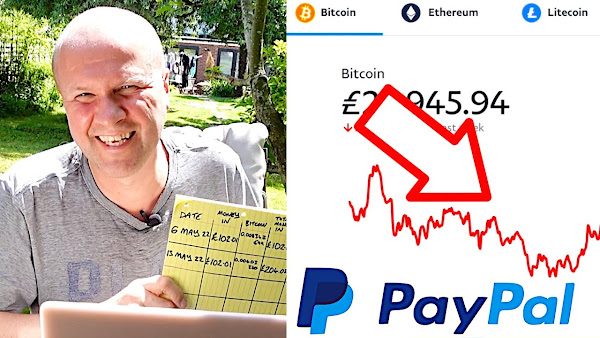
if you click on that button it opens up this crypto dashboard and this figure right here 178 pounds 50 shows what my Bitcoin is worth 
so this isn’t… this isn't good news 
on the first week I put in 102 pounds and one pence so I invested 100 pounds plus fees and then last week - I’m doing this every weekend by the way - so I'm a few days out but I put in another 102 pounds and one pence so in total I am down 204 pounds and 2 pence and that 204 quid is now worth this - 178 pounds 77 
but this is the reason why I wanted to do this every week 
I'm going to do this every week for a year and the rule is… 
well let's go in and see what Bitcoin is doing this week… so you click on… so it looks like it's going up 
but that's just the last 24 hours 
if I click on the one week button, it is down three percent from last week 
my rule is if Bitcoin goes down in the week then I'll buy another 100 pounds worth 
if it goes up then I'll look at buying another cryptocurrency 
probably Ethereum because that's one of the four currencies that PayPal let you buy 
we can see here that we are down on the last week, so that makes things really simple 
let's buy another hundred pounds worth of Bitcoin 
and to do that it's really easy on the… on the PayPal site 
I can just click on this big buy button down here and it brings up the buy Bitcoin dialogue 
and you can do this on your phone, on your mobile device with a PayPal app 
I've got a video explaining how that works 
it's in the description and on screen now but I'm going to do this on desktop so you can follow along with me 
and we are going to put in 100 pounds and one pence 
now the reason I've gone one pence over is because of the fees that PayPal charges 
there's a little bump where it's 2.3% fee 
if it's a hundred pounds and it goes down to two percent at one pence over a hundred pounds and so I save 29 pence and I need every penny right now 
so let's click on the next button and that brings up this dialogue here 
choose a funding source 
you can take it from your PayPal funds so long as your PayPal balance is more than what you want to buy plus fees 
well I haven't got that in there right now so I'm going to take it from my bank account and it brings up a review and buy window 
so this week my 100 pounds at the moment buys 0.0041Bitcoin and this is the bit that tickles me every week 
that figure fluctuates while I wait 
while I’m… while I'm talking away you can see it just fluctuating away 
it also explains that the transaction fee for this is two pounds so I'm actually going to pay 102 pounds and one pence which is what I'm paying every week so I'm going to click on the agree and buy button there you go 
you purchased 0.413728 Bitcoin so I'll write that on my chart and it's another week of buying Bitcoin 
I have now spent - what’s that 306 pounds and three pence and that 306 pounds is currently worth 277 pounds 93 pence and that's going to fluctuate while I'm speaking so let's see if that goes up or down 
but in the next week, if Bitcoin goes up in value I'll choose one of these other currencies that you can buy on PayPal only because I'm lazy and because I tried signing up with another platform 
I tried Binance - couldn’t even get verified and I looked into Coinbase and Etoro and some others but this just looked at this by far and away looked like the easiest thing to do because I've got a PayPal account 
I think I would go for Ethereum regardless of whether it goes up or down 
if this is something that you're interested in doing - you crazy fool - good luck to you because up here is what my Bitcoin is worth right now 
I'll update that playlist as we go along and down here is how I did this in the first place 
how to buy crypto on PayPal 
can you please help my daddy get 10000 subscribers just click on his face thanks bye 
alright this is going to be the proper one right


Previous post...
How to buy BITCOIN with PAYPAL APP for beginners like me


All about me, and getting these by email.

Thursday, 9 June 2022

How to buy BITCOIN with PAYPAL APP for beginners like me


How much my Bitcoin is worth NOW is on this playlist here: https://youtube.com/playlist?list=PLZfK4GUTQWxGnONg5Qk4Vun4n3U69NKae

Can you buy Bitcoin directly from PayPal? Yes! 
In this video I show how easy it is to buy Bitcoin using only the Paypal app and the Crypto tab.

How to buy BITCOIN with PAYPAL APP for beginners like me


TRANSCRIPT: (CLICK PLAY ON THE VIDEO ABOVE)

THIS IS THE TRANSCRIPT - CLICK PLAY ON THE VIDEO ABOVE!

hello welcome back to the happy hut 
can you buy Bitcoin on PayPal using just the PayPal app? 
that's what I'm going to do in this video 
hello I'm Neil and this is the Dad delivers vlog 
I try something new every single day and today I'm going to buy some Bitcoin using PayPal only on the phone and oh my goodness what a roller coaster it's been 
this is the graph for what Bitcoin has done in the last week 
I know there are all kinds of disclaimers with this video that I need to work through with you but what I'm going to do is you and I are going to buy some Bitcoin together using using just a PayPal account 
This time last week I bought Bitcoin for the very first time in my life 
this is my very first crypto currency purchase 
I had tried to get onto a proper Bitcoin cryptocurrency website and I just I just failed 
I couldn't get verified with one of them and the thought of having to hand all my personal details over to a site that I've never heard of to buy… to buy something that I'll never see and have no idea about was a little bit of a too big a step for me to do 
so I was really shocked when I found out that PayPal now has this crypto tab at the top and I bought 100 pounds 
as an experiment I bought 100 pounds of Bitcoin 
there's lots of things wrong with this picture 
firstly is that I'm dabbling in cryptocurrency at all but it's thrilling you know it's a bit of a gamble 
the second problem is that it's not real cryptocurrency 
I mean we're being told by PayPal that they're good for it and you are actually buying Bitcoin but it's not buying it in the way that the cryptocurrency community buy it which is to actually get it properly electronically 
basically PayPal hold it for me and I know there's that phrase isn't it - if you don't have the key you don't have the coin - but I sort of like the protection that comes from letting someone else deal with that 
even though I'm paying quite a… a saucy fee for that 
I lose my keys to the house 
I can't imagine what I'd be like with keys to crypto currency but it was my way of buying Bitcoin for the first time so I bought… 
look I've got a little graphic here that I've made myself…
so I bought a hundred pounds worth of Bitcoin 
it's a hundred and 100 pounds of one pence 
I am now going to see if I'm going to buy another 100 pounds worth of Bitcoin using the PayPal app 
here's my PayPal app right here and you can see that my 102 pound investment including fees is now worth a whopping 83 pounds 99 pence 
this is just my regular uh PayPal account 
if I click on that crypto button there it takes me into the crypto tab so yeah… the value… the value of it has gone down quite a lot 
now the rule that I'm playing as I… I don't know how long I'm going to do this for 
in my head I'd like to do this every week for a year and just uh play with a hundred pounds every week 
the rule that I'm going to play is that if the Bitcoin has gone down in the week I will buy more Bitcoin 
and if it doesn't go down in a week I will then buy other crypto currencies on PayPal and maybe I'll venture out onto another platform and buy one of the what… 18000 crypto currencies out there 
PayPal only offers four cryptocurrencies 
I'm going to stick with Bitcoin for this week because it has fallen in the week 
we're now going to go into buy 
I'm going to press the buy button 
buy Bitcoin 
now the fees we covered this in the in the last video 
if you click on the fees button it shows you the current fees 
obviously it shows you the current fees for buying crypto and if I go one penny over the 100 pounds, the fee comes down a little bit so I'll save what… 29 pence so if I go back to buy Bitcoin I'm going to type in 100 pounds and one pence and click next 
so it's showing me what my 100 pounds would buy and it’s… it looks like 0.004 
that figure that's fluctuating before my very eyes and so I'd pay another 102 pounds and one pence 
by continuing you understand that crypto isn't regulated its value fluctuates and you can lose money if the value drops 
yes I… I agree and buy 
so click that big blue button at the bottom there 
I've got that's it 
I've just bought my second batch of Bitcoin 
I have invested gambled thrown into the wind 204 pounds and two pence and that is now worth 182 pounds 84 pence 
is this something that you do already or is this something you you're thinking of doing? 
say hi in the comments it'd be great to hear from you and I'm going to try and show up every week and see how this this experiment goes by putting in 100 pounds and one penny in each week 
it could be going better but I'm hoping that if I keep buying on the way down eventually when it starts to come up maybe… maybe good things will happen 
if you want to see what my Bitcoin is worth right now or all of my cryptocurrency purchases I've got a whole playlist that's on the video up here 
and down here is a video all about how you can buy Bitcoin for the very first time on PayPal 
can you please help my daddy get 1000 subscribers just click on his face 
thanks bye how was that


Previous post...
How to renew UK Passport for a child or name change by deed poll


All about me, and getting these by email.
Wednesday, 8 June 2022

How to renew UK Passport for a child or name change by deed poll


How do you renew a child's UK Passport - and how do you renew if the childs name has changed by deed poll? I go through the exact process step by step by ordering a British Passport online for a child in real time... AND I show how to renew that British Passport if the kids name is different.

How to RENEW UK Passport for child... or name change by Deed Poll!


0:00 How to renew UK Passport for child... with name change by Deed Poll
0:20 Are new UK Passports blue now?
0:44 British Passport Office website for renewing UK Passports
1:00 How to apply for a British Passport renewal for a child
1:28 How to take a digital passport photo - what are the rules for a UK passport?
3:25 How to change the name on a child UK Passport, if their name has changed by Deed Poll

TRANSCRIPT: (CLICK PLAY ON THE VIDEO ABOVE)

THIS IS THE TRANSCRIPT - CLICK PLAY ON THE VIDEO ABOVE!

Okay 
Your Mum
[LAUGHTER]
Hello I’m Neil, welcome back to the channel.
How do you renew a UK passport online for a child?
And also how do you renew a British passport for a child whose name has been changed by deed poll?
I am applying for a British passport right now.
It won't look like this.
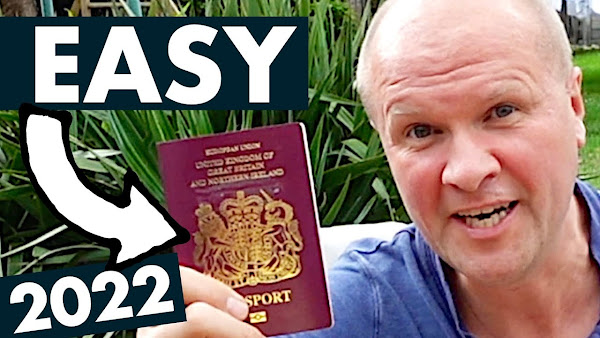
I think they now look blue like this, because being able to travel and live freely across 27 nations was apparently too easy... but I’m going to be applying step by step in real time so you can follow along with me.
And hopefully avoid all of the mistakes that I make along the way - and you and me have got to get this done before that holiday, right? 
There's a link in the description below so you can follow along.
This is what the gov.UK website looks like and we are on “Get a passport for your child”.
I am going to scroll down to the “start now” button.
Do you live in the UK?
Yes! 
And it's brought up this list of how to apply, so let's hit “continue”.
“Date of birth” 
Now I’m going to put in all these details for the child not for me.
The next page says “How to get a digital passport photo”.
You could either do this by using a photo shop or a booth.
That's a photo with a code, or down here: I like the look of this.
“Take a digital photo at home”. 
I think we'll try that one, so you either have a code to enter or “I’ll take and upload a digital photo”.
I’m going to do that.
“How to take a digital passport photo”.
Now obviously this is really important because if you get this wrong, the punishment is: you stay in this country.
We need a plain background.
The lighting needs to be even with no shadows, and you need to be far enough back from your child to get in their head shoulders and upper body.
They have to have a plain expression because, you know, since 2022 the technology can't cope with any kind of emotion.
No headwear. Unless it's for religious or medical reasons.
I’m going to click on the “continue” button, so now it's time for me to take this picture.
I’ve got to find him first.
Hiya, I’ve got to take your photo for the passport.
I need to find a plain background, so if you stand in the hallway... um oh wow that's quite good.
Well that could have gone a lot worse, so upload your photo.
Choose your photo and you get a result! 
I need these on all of my photos of my kids I think...
“The photo result is good”.
I’m going to hit continue.
“Do you want to submit this photo” so I’m going to tick: “Yes, this photo meets the rules”.
Have you had a UK passport before? 
So I’m going to hit “yes”.
Is your passport lost or stolen?
When was your passport issued?
“Is your passport damaged?” 
So it has deduced, “based on your answers, you are renewing a child passport”.
“If you want to change the name on this passport we'll ask for the details later on”.
At the time of recording it costs 49 pounds on the website.
At time of recording the processing time is 10 weeks to receive the new passport.
And if you're watching this video in a blind panic because you have urgent travel needs you can call the passport advice line.
I’ll put that number in the description below, so next I’ll fill in the application details.
I’m going to click “I’m ready to continue” so we need the old passport details next.
We'll need the new passport details and this question here is obviously crucial if your child's name has changed.
“Did you use this name on your old passport?” and then we'll click on “continue”. Previous names: tell us the name on your old passport.
Gender. You're only given two choices.
Were you born in the UK?
The next section is just as enlightened: parents details.
They want mother or “parent 1” and father or “parent 2”. 
I’m very much a parent 2.
Were they married or in a civil partnership?
Oh no it wants my date of marriage.
Oh I can remember it - I’ve got it...
Hiya I’m just checking because it's for the passport office... I just want to double check our date of our marriage?
“What’s does that have to do with the passport?”
I know! 
Do you know what, if you... if you're not a mother and father you're known as parent 1 and parent 2?
How do you decide who's parent 1?
Next it wants the town of birth, country of birth, nationality for the mother... you know the nationality is British even though it's a UK passport. It's bullocks. 
And then it wants the details of the father or parent number 2.
[MUSIC: I’M NUMBER 2!]
Next we'll put in details of our home address and email and mobile phone.
You know if we get this wrong they're gonna round us up in one of those uh... one of those ice cream vans they've got driving around.
“Immigration Enforcement.” 
“You will immigrate!” 
There are two sizes of passports: there's the standard size.
I’m just going to go for the 34 page one.
It’d be lucky if we go anywhere this year.
All passport holders age 12 and older must sign the new passport when they receive it.
There's a summary of the application.
I won't show you mine, so what I’ve got to do now is send the old passport.
You've got to post them the deed poll or similar documents about the name change and one of the following.
Ugh, thought it’d be too easy.
A signed statement from everyone with parental responsibility and one of the following from the last 12 months.
And now we'll get to pay to prove that you are a British citizen and then you have to tick a box as a declaration.
My payment has gone through.
I know you've got 101 questions.
I’ve put a link in the description for all the links to the passport office that will hopefully answer your questions.
Give my best wishes to parent number 2. 
Say hi in the comments, it'd be great to hear from you.
Good luck, you're going on holiday!
Can you please help my daddy get 10000 subscribers.
Just click on his face thanks bye! Alright, this is going to be the proper one right.

Previous post...
How to GET PAID on YouTube


All about me, and getting these by email.
Monday, 30 May 2022

How to GET PAID on YouTube


Finally hit 1000 subscribers and 4000 hours watch time on my Dad Delivers Vlog YouTube channel! But how long does it take to become monetized and earn money on YouTube?
I walk you through my entire process, step by step, to qualify for Google Adsense ads on my YouTube channel.

How to GET PAID on YouTube? I hit 1000 subscribers!


TRANSCRIPT: (CLICK PLAY ON THE VIDEO ABOVE)

THIS IS THE TRANSCRIPT - CLICK PLAY ON THE VIDEO ABOVE!

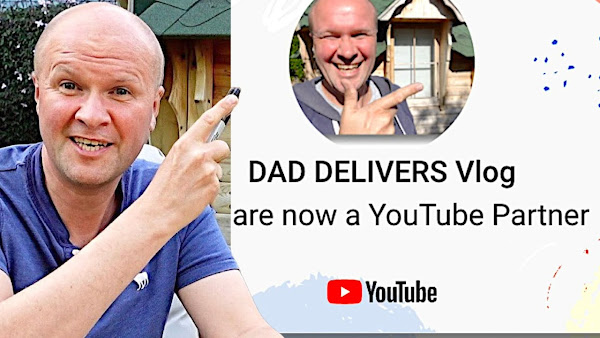
Dad Delivers vlog you are now a YouTube partner

hello welcome back to the happy hut and oh my goodness look at this! 
I’ve done it! 
I just hit 1000 subscribers over... over here 
look this is my other channel - it's my experimental YouTube channel - the Dad Delivers vlog 
you can see its 1000 subscribers and actually if we go into my dashboard in YouTube studio you can see it's 1001 subscribers 
it's creeping up 
what happens at 1000 subscribers? 
I’m going to chart my journey - I’m going to share with you - take you inside my channel and show you exactly what YouTube does when you become monetized 
it's Sunday morning here in the UK 
it's the 22nd of may and at 7:40 this morning I went over the 1000 subscriber mark 
it's Sunday morning so you can probably hear all my neighbours mowing and I don't care 
I just want to show you exactly what happens when you go through the threshold of requirements that you need to become monetized right here on YouTube 
now I’ve done this before - on this channel that you're watching right now I... 
I hit 1000 subscribers in March 2020, and after I did that I wanted to niche down 
so I created some other YouTube channels to see what would happen and to move videos off of this channel so that this channel could become niche 
it's taken about a year and a half for the Dad Delivers channel to creep over the 1000 subs mark but you probably want to see what happens next 
how does YouTube invite you to join the YouTube partner program? 
so the first thing we need to do is to go to the tab on the left hand side - monetization - and the grow with YouTube page that's been sat there for about a year and a half is now showing right now 1001 subscribers 
I’ve got 8000 watch hours so that's good 
you can probably hear my kids on the trampoline in the background 
I’d like to think that they're celebrating this with me but there's this big blue button down at the bottom “apply now” 
we've... we've got to click it right?
so now these three steps look like this 
we now have all of these start buttons - so the first step that's been released is review partner program terms so I’m going to click start on there 
I am going to tick this box and then click on “accept terms” 
done 
now step two is slightly confusing for me because it says sign up for Google AdSense 
I don't need to do that because I’m with Google AdSense right now for this channel that you're watching right now 
but it does say that you can use this step to connect an existing Google AdSense account to my channel 
and it says you will be directed to AdSense to complete this step 
do you have an existing AdSense account? 
I’m going to select yes I have an existing account 
now it puts a warning here which is that you are only allowed to have one Google AdSense per person 
you can get kicked off the entire AdSense program by having two accounts - and here's a tip from me - if you are thinking of becoming monetized and you're trying to get the 1000 subscribers and 4000 hours watch time 
sign up to Google AdSense right now 
I would get all of that verification out of the way 
it can take up to about two weeks 
I’d do all of that now before you hit the 1000 subscribers 
you're already linked to an existing Google publisher account 
Continue with this account or use a different account to connect to AdSense 
but I’m hoping that it will just work so I’ll go “accept association” 
and it's opened up this window 
redirecting you to your host 
yeah you're done and we scroll down to step three “get reviewed” 
in progress 
YouTube will review your channel to make sure it complies with the monetization policies we'll email you a decision usually within a month... now
[OFF CAMERA: Sorry, we’ve got to go now]
oh okay brilliant so I’ve got to now take my daughter to a 10k walk and I’ll let you know how long this takes I guess we'll do a time jump 
We have jumped forward in time but not by much 
my channel hit 1000 subscribers and 4000 watch hours on Sunday 
it's now two days later over here 
only two days and this is what my YouTube studio dashboard is showing me 
Dad Delivers vlog you are now a YouTube partner 
oh sound effects yes 
I didn't think I would make it 
I really didn't and if you are aiming to be monetized by YouTube why not say hi in the comments below or hit me a thumbs up because I know how hard it is 
what a grind what a slog it is to get through like one or two subscribers every day if that - to finally hit 1000 subscribers 
if this thing sitting here talking to you can get a thousand subscribers you definitely can 
let's see now what happens to the channel once you are in the YouTube partner programme 
there's a welcome video 
there is getting paid up in the top right hand corner here 
great job you've completed payment set up 
let's scroll down - monetization options - I’ve got video advertising and supers that's where fans can throw you some tips 
I have a more pressing thing to do and that is to monetize all my videos and I’m going to do it in a particular way 
if I go into analytics - ah there's now an estimated revenue box! 
how exciting 
I am going to monetize my videos in order of the most viewed 
I want them clocking up cash as fast as possible 
if I go into the “see more” this is what we've done in the last two days and last one hour so I’m gonna monetize these videos because I know they're bringing in cash 
so let's go into my best rated video 
“how to change a strimmer line” 
these are the analytics that I’m getting for my best rated video and you can probably see that it scoops up at certain times because people get the strimmers out and want to know how to work them 
and now when I go to monetization on the left hand side there - it's my first monetization question box! 
so if you've not done this if you've not reached 1000 subs or 4000 hours watch time you might be interested to see how to monetize a video 
so you get this pull down menu here - “on” “off” 
let's go for “on” and you have different types of ads 
overlay ads, sponsored cards, skippable video ads and non-skippable video ads 
everyone treats this differently there's no right way 
some people don't like to put overlay ads for instance because they don't want the ad blocking that place on the bottom of the screen 
others don't want to put it on just because they don't want to spoil the viewing experience 
I’m going to tick all of them because I put a lot of work into these videos and I want to maximize the amount of revenue from YouTube 
I actually did an experiment there's a link in the description below 
I put 13 ad breaks into one video to see what would happen and obviously I can't compare that with a like for like comparison - you don't know what the effect is - but overall the number of views didn't go down for me 
I think... I think if anything the watch time seemed to go up because people were committing to watching the video when an ad appeared 
let's go back to the list of my best performing videos and I’m going to speed this up and show you what it's like monetizing probably about 60 videos 
cue the fast forward!
[MUSIC]
if you want to know how much I earn each month from YouTube I’ve got a whole playlist dedicated to that 
I keep it up to date - I let you know literally month by month sometimes how much money YouTube throws my way having done this process twice now and I’ll let you know in that playlist how much this channel is earning


Previous post...
How to change FLYMO strimmer line: MINI TRIM ST trimmer string spool


All about me, and getting these by email.
Saturday, 14 May 2022

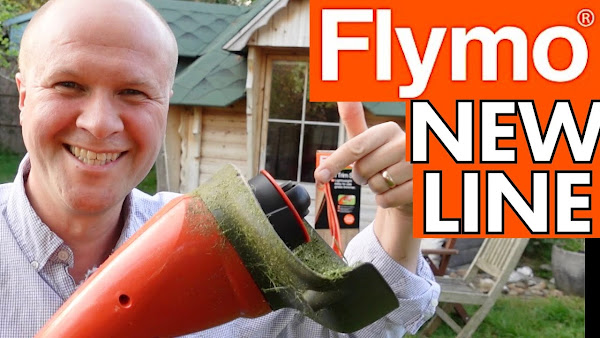
How to change FLYMO strimmer line: MINI TRIM ST trimmer string spool


BUY FLYMO MINI TRIM ST STRIMMER REPLACEMENT LINE SPOOL HERE! (As Amazon Associate I earn from qualifying purchases)

BUY THE FLYMO MINI TRIM ST GRASS TRIMMER HERE!

How do you change the line on Flymo Mini Trim ST strimmer?
I replace the string on my Flymo trimmer in real time step by step.

How to change FLYMO strimmer line: MINI TRIM ST trimmer string spool


TRANSCRIPT: (CLICK PLAY ON THE VIDEO ABOVE)

THIS IS THE TRANSCRIPT - CLICK PLAY ON THE VIDEO ABOVE!

hello welcome back to the happy hut 
I’m Neil and this is the dad delivers vlog where I try something new every single day and today it's a little bit specific: 
it's how do you change the line on a Flymo mini trim ST strimmer or trimmer 
it's really easy you and I are going to do this step by step along... this is super quick 
if you want the exact spool to get, I’ve put a link in the description below and when I’ve used poundland line in here it's not been good 
it's kind of falling apart all over the garden 
and it also heats up and just sticks together in the cartridge here so it's really pricey but at least it won't fall apart in the garden like I do! 
I know exactly what you're going through because it happened to me right over there 
let me show you the exact moment where the line snaps

The trimmer line snapped off 
Let me show you underneath the Flymo mini trim st 
this is the spool cartridge 
just to show you how easy it is you pinch these two lugs together and the cartridge just comes off like that 
so you can replace the line by just getting some more line to go onto this cartridge or you can get a whole new cartridge to put on 
and to put it on 
first thing you need to do is to feed about 10 centimetres through the hole here 
the spool hole 
I’ll just pull a lot through and I’ll show you how to tighten it up 
and then make sure it's all not falling out because it will get tangled in there 
I’m going to push it back over the lugs and push the cartridge down until it clicks so both catches have gone there 
now this is obviously too long you could just spin it and then you'd lose this amount of extra cable on the first spin 
but what I’ll do is tighten it up because I want to save money! 
all you do is push in the two lugs again and turn the orange cartridge anti-clockwise and you might be able to see that the line is going back into the cartridge 
which is handy 
and anything extra will be caught by the little line cutter inside the safety guard

Can you please help my daddy get 1000 subscribers just click on his face thanks bye! how was that?


Previous post...
Best CHEAP gaming chair on Amazon under £100


All about me, and getting these by email.
Friday, 13 May 2022

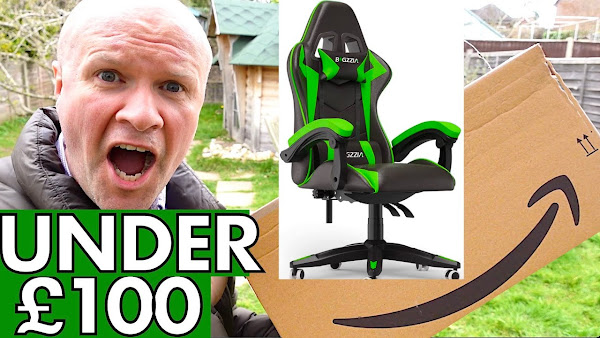
Best CHEAP gaming chair on Amazon under 100


BUY BIGZZIA GAMING CHAIR HERE! (As Amazon Associate I earn from qualifying purchases)

I buy, unbox and build a great green gaming chair - the Bigzzia Gaming Chair - bought with my own money from Amazon UK 2022. Unboxing and building the gaming chair step by step. We've had it for over a month now and really like it, it's very comfortable.

Best CHEAP gaming chair on Amazon


TRANSCRIPT: (CLICK PLAY ON THE VIDEO ABOVE)

THIS IS THE TRANSCRIPT - CLICK PLAY ON THE VIDEO ABOVE!

hello welcome back to the happy hut, i'm Neil and today is my son's birthday and i've managed to get him a gaming chair so i thought i'd share the unboxing of the gaming chair just to show you what comes in the box and how difficult or easy it is to unpack and put up. It's just over here... the boy's at school so we've got to get this up before he gets home so i'm hoping it won't take that long but anyway we went for - let's turn the camera upside down a Bigzzia no bigzzia... Bigzzia this is what it looks like on amazon and obviously there's a link in the description to help you buy that if you use that link thank you so much but this is this is what comes in the box. It actually came... this isn't a big gripe or a complaint... but it actually came with the bottom quite open it looked like this and it was difficult buying a gaming chair because my son wanted a particular colour he wants the yellow one or a green one. The thinking of the green other than it doesn't match absolutely anything in his room whatsoever but the thinking of the green as you probably know if you're a parent of a gamer - you have my deepest sympathies by the way - obviously it's the colour of the xbox logo here we have some arms this is the base for the legs we've got some controls for the for the seats

put the instructions this is what the instructions looks like the writing's quite big so i'm very grateful for that

there we go just got to force it in put the gas rod on here put that on like that

then i need to install the tray

and i'm going to mount the cushion onto the base how low can you go

i feel like i should sit on it just to make sure it goes down

so let's get this back onto the base that goes through here

all right i've made a pig's ear of the Bigzzia - the bar - they didn't say which way around the bar should go and that's obviously wrong

i think that's it so let's put the back on now

look i still don't know if this is the right way round i didn't realize that it was actually locked to be forward so this might be wrong as well i'm going to leave it like this for now great so next instruction uh install the chair arm

right so i've gone to the garage and i can't find any wd-40 so i'm going to use this this olive oil i'm just going to put a little drop of olive oil onto the bolt just to help it go in because the the screw is tearing on on this particular bolt a bit of oil on it to help it go in here we go what might help is to put the bolt in without the arm on and then that will loosen up the the screws hopefully

now we can put the arm on that's it and then it comes with these black plugs which is good because that will hide the bolt holes under here spin it around on there i'll go and get my other camera because it's nicer and i'll try and make it look nice this was three months ago and three months on we are really happy with this gaming chair it is super comfortable it's being used every single day and i'm really jealous i think it might be the most comfortable chair in the house the back support is great the padding is awesome and you can tilt the chair backwards but my son hasn't done that it's just good to go as it is and you can find this exact chair with the link in the description you can help other people find this video by hitting the thumbs up button so thanks for that and if you hit the subscribe button you don't have to watch any of my videos again but you'll be helping me to reach 1000 subscribers which is a massive goal at the moment can you please help my daddy get 1000 subscribers just click on the space thanks bye how was that


Previous post...
How to CANCEL DISNEY PLUS stop Disney+ subscription using phone app


All about me, and getting these by email.
Thursday, 12 May 2022

How to CANCEL DISNEY PLUS stop Disney+ subscription using phone app


On this vlog, I try something new every day - today I'm going to cancel Disney+
In this video I stop our Disney Plus subscription using only the Disney+ phone app - and go through the process step by step in real time so you can follow along

How to CANCEL DISNEY PLUS stop Disney+ subscription using phone app


TRANSCRIPT: (CLICK PLAY ON THE VIDEO ABOVE)

THIS IS THE TRANSCRIPT - CLICK PLAY ON THE VIDEO ABOVE!

how do you cancel a Disney plus subscription?
maybe you're like us and it just feels like there's just one too many in the amazon prime, netflix, spotify, youtube premium… who knows what else I'm gonna help you stop Disney plus right now either in your phone app or on a desktop computer 
this is a big step for me because I'm a huge fan of Enchanted 
(cough!) Amy Adams 
and I think they're going to be bringing out the Enchanted movie on the app on Disney plus this year… but I'm going to be strong
I'm assuming that we can pick up the subscription again maybe in the summer holidays
oh hello! 
I am going - well I say I “we”… me and my Disney buddies here are going to cancel your Disney+ subscription right here for real, in real time
I'm going to be doing this step by step so you can follow along with me - so I've got to do this quickly - partly for financial reasons - but also partly because it is really raining quite heavily now and it's on my phone screen 
Let's cancel this Disney plus subscription now… so on screen here this is the app 
if you click on your avatar in the bottom right hand corner 
I seem to have the snowman from frozen there
and then we'll go down to “account” 
and it's offering us an annual deal there but I'm going to click on “monthly” which is the Disney plus subscription that we're on
and then down here under “subscription” 
I'm going to click monthly again
here you can see the subscription that we're on and all this is it's just a browser anyway so this is pretty much the same as doing it on a website 
and then at the bottom here
there's very kind of them - they put a very easy “cancel subscription” button so I'll click on that there 
now “why would you like to cancel?”
I'm not sure it's got… sorry my dog’s going nuts in the background here
now really you and I don't have to give any answer to this but you do to… to I suppose you could click “other” but then it'll ask me to type something in so I'm going to choose “too expensive can no longer afford” 
I'm sure the multi-billion dollar corporation will continue without me 
now obviously when you try to unsubscribe from any service it gives you lots of steps to walk through so we've got “don't miss these recommendations”
that's a great rhetorical question: yeah I have had a chance to watch most of them actually so I'll say no thanks, cancel Disney plus 
let's see what else they throw in our way
thanks for your feedback 
change your mind? no problem! restart your subscription 
well no I don't think I'll do that
close and go home 
that actually is one of the kindest unsubscribe experiences that I've had 
I'll put on screen now any emails that come up as a result of me doing this 
We’ll see Ana and Minnie and the icy woman… 
what's her name?! 
Gizelle?
what's the name of the princess in frozen? 
Elsa
Elsa! Thank you: Elsa 
I'm sure we'll see Elsa again
I remembered Ana… 
she was good but she looks a little bit like Amy Adams from Enchanted

Previous post...
How to buy BITCOIN with PAYPAL BEGINNERS GUIDE


All about me, and getting these by email.
Wednesday, 11 May 2022

How to buy BITCOIN with PAYPAL BEGINNERS GUIDE


Very surprised to see a CRYPTO tab on my PayPal account
Go to https://www.paypal.com to see if it's on your account or to set one up there
I buy some Bitcoin for the very first time step-by-step in this Beginners Guide, using only my PayPal account. Paypal also offers Ethereum, Litecoin and Bitcoin Cash that can be bought in the same way

How to buy BITCOIN on PAYPAL? BEGINNERS GUIDE step by step EASY way to buy cryptocurrency


TRANSCRIPT: (CLICK PLAY ON THE VIDEO ABOVE)

THIS IS THE TRANSCRIPT - CLICK PLAY ON THE VIDEO ABOVE!

Congratulations on your Bitcoin purchase! 
high five! 
have you been putting off buying Bitcoin like I have? 
I have been putting it off for months and look at what's happened to the price of Bitcoin in that time 
I know that you are thinking about buying Bitcoin for the very first time and you don't know where to start 
I'm in exactly the same position as you 
I am going to buy some Bitcoin in real time right now on camera step by step using just my PayPal account 
It's just my regular PayPal account, and if I make any mistakes you will be able to avoid them 
Now I tried to buy some cryptocurrency on some other websites 
I didn't get very far I tried Binance and with that I couldn't even get myself to be verified and I sent a really simple basic question to their support and got no response and I just thought oh my goodness if I had thousands of dollars worth of cryptocurrency and you're not going to reply to me this doesn't look like a good place 
Then I saw lots of articles about people having exactly that problem so then I thought about Coinbase because my favourite youtuber Shelby Church recommended it 
I guess I'm using coinbase to buy Bitcoin 
Or Etoro, and obviously they will charge different amounts per transaction so the hardest part in this whole process is setting up an account 
I couldn't believe my luck when I logged into my PayPal account and I saw this right here along the top: it's the second tab in “crypto” and inside the cryptocurrency page on PayPal you're offered four different cryptocurrencies 
Now obviously there are thousands of I don't know if there are thousands… hundreds? 
So I know this is limited and there's a help article on each of the four currencies it offers so we've got a little article on Bitcoin…
another one on Ethereum… 
Litecoin, I've not even heard of that one 
and this strange one here Bitcoin Cash which apparently is separate from Bitcoin 
Now the reason I'm going… you're probably in the same position, but the reason I'm going for Bitcoin as my first ever cryptocurrency is because I know nothing about this 
Hello my name's Neil by the way and I try something new every single day and today I'm buying Bitcoin for the first time uh… just using my PayPal account 
I know that I could lose pretty much everything on this, but I know that if I don't experiment and I don't have a go then I'll always be wondering 
So I'm going to click on this Bitcoin button here 
This is what Bitcoin has been doing in the last six months, I mean who knows what's going to happen next 
But I see this really nice tempting “buy” button at the bottom here! 
should we do it? 
Let's see… It also gives you some denominations as well and I know that I'm going to invest 100 pounds in this, and I'm going to be doing this every week for a year 
There's a playlist in the description and on screen now 
Now it's brought up a window: let's confirm some information before you buy 
Confirm your u.s taxpayer status - although if I were US it’d be “status” 
no I'm I'm none of those things 
I can't even do a us accent 
what to know before buying crypto 
it's volatile 
I have to keep a budget in mind so I've done that 
sales can be taxable depending on where you are in the world and it's not regulated okay I get that so I'm gonna check the box “you understand the financial risks” and click agree and continue 
oh this is exciting: the roller coaster… the financial roller coaster begins! 
buy Bitcoin 
enter or choose an amount 
Oh you could buy as little as one pound of Bitcoin that's interesting 
PayPal charges fees - a transaction fee - so let's have a look at those and this obviously will change over time 
These are the kind of fees, so under 25 pounds they charge 50 pence and then over 25 pounds they charge 2.3 percent 
oh look at that oh PayPal you reduce the fee if you go one penny over a hundred pounds! 
the… the rate drops to two percent so I'll just show you how to type it in 
I'll type in $100 
I could hit the 100 button - and then I'll hit “next” 
I can't believe I'm doing this! 
now this is interesting I've got 100 pounds in my PayPal account ready to do this and it's bringing up my bank account details 
I don't want it I want it from my PayPal account
so the reason I can't buy this in PayPal right now is because it has to cover the fee as well so I've got 100 pounds in my PayPal account and I need enough money to cover the fee as well so it needs to be a hundred pounds plus that fee of about two pounds thirty 
By the magic of youtube I have now topped up my PayPal balance so now I'm going to go back to click the “crypto” tab button again I… I now have “available value” 
Maybe that's because I attempted to buy it and it… it knows I own zero so I'm going to click on Bitcoin and then go down to “buy” 
right I'm going to put in 100 pounds and one pence next 
Now my PayPal balance appears 
“choose funding source” 
now I'm going to hit next 
what to know before buying crypto 
it's a little poem - a little haiku perhaps 
I understand the financial risks “agree and continue” 
Hey leave me a comment if you are buying some Bitcoin this way 
I'd love to know what your experiences are 
“Review and buy” it’s still not happened yet so it buys me 0.0034… 
oh it's changing! 
look the value of it - it’s fluctuating while I dither and read it out to you so now it's worth 0.0034 
oh it's plummeting as we speak 
so as I predicted the transaction fee is exactly two pounds because I went one penny over 100 pounds and that might be the same in your currency as well so you might want to check the fee structure if you want to save 29 pence or equivalent! 
Yeah I can't take the pressure any more 
I'm going to hit “agree and buy” 
That's my family texting me saying “don’t! don't buy the Bitcoin! step away from the cryptocurrency!” 
congratulations on your Bitcoin purchase! 
high five! 
So now I can watch my value of Bitcoin plummet or rocket and look at this! 
It shows me the value of the Bitcoin at the bottom here so it's currently worth 99 pounds 87 pence and it's just fluctuating it's now… even while I'm speaking to you… 99 pounds 79 pence so I lost 10p right there 
Oh it’s come back again 
this is great yeah I hadn't figured this - I hadn't taken this into account but obviously these fees apply for buying and selling because when I sell it as well it's also going to take another two percent 
The benefit on buying through PayPal I guess is that there is some form of protection here against me losing the Bitcoin or from it going anywhere so obviously it doesn't protect you from losses but it does protect you from any crypto that's that's stolen so I guess you get some protection there 
and I feel more comfortable doing this through PayPal but two percent to buy and another two percent to sell to me feels a little bit spicy 
If you want to know how much my cryptocurrency and my Bitcoin are worth right now: I've got a playlist up here where I chart this journey so you can jump ahead and see how much that money is worth 
And down here is how to buy Bitcoin using just your mobile device - just a phone 
Can you please help my daddy get 1000 subscribers, just click on his face, thanks bye! how was that?


Previous post...
How to post on YouTube


All about me, and getting these by email.
Thursday, 5 May 2022

How to post on YouTube


How to you post a picture, video or create a poll on YouTube?
YouTube has COMMUNITY POSTS where you can make social posts within the YouTube app.

How to post on YouTube!


TRANSCRIPT: (CLICK PLAY ON THE VIDEO ABOVE)

THIS IS THE TRANSCRIPT - CLICK PLAY ON THE VIDEO ABOVE!
hello this is a quick video - I’ve stepped away from the happy hut 
hello I’m Neil 
how do you put a worded post on YouTube? 
you know like those social media posts that you can see when you're scrolling down the home screen there 
how do you write one of those or post a photo to YouTube or set a poll? 
it's a very good question so I’m going to post on my YouTube channel in real time so that you can follow along and see how it works 
I’m going to do it using just my YouTube app it's on screen now 
at the bottom of the YouTube app home screen is this plus button but it's really important up in the top right hand corner you can make sure that you are logged into the YouTube account that you want to make the post on 
but once we've checked that we're going to hit this plus sign at the bottom here 
and it brings up this menu: create a short, upload of video, and at the bottom there is create a post 
so I’m going to click on that and it takes you into this screen 
now if you don't have this option create a post don't worry keep watching because at the end I’ll explain how you can get it 
you have two options at the moment 
down here we have two icons we have a poll icon and an image icon 
now weirdly it doesn't have a YouTube video icon 
if I wanted to all I would do is write a post and then paste the URL of the YouTube video there and at the top right hand corner we'd hit “post” 
and then my post would look like this it's grabbed the video: it stitched it into the post automatically so you can just use the link to the video 
YouTube calls these posts community posts and as you know they appear when you're scrolling through your home screen 
and they also appear in your community tab on your channel page so if I scroll across here to community - if I hit community there - you can see the post 
if I click on... what should I do first? 
should we do image? 
so I’ll click on the image icon and it has brought up my camera roll which has got some strange screen grabs on, but I could grab any picture that I wanted then hit “next” and that pastes it into the post 
As you can see over here you can choose up to five images per post at the moment 
If anything changes there's a link in the description which has a complete YouTube help article that can walk you through the very latest that this can do 
Click on the pen icon in the top left hand side 
we can edit the image 
Pictures tend to be offered on a 1:1 ratio that's like a square so you can drag across so it looks best in the frame that looks I think pretty much there 
and I’ll click save at the top right hand corner so that looks pretty good as a square - well pretty good with my face on it 
so then you could write your post in the text box 
and we have a few options for posting 
so there's a pull down menu here where you can post either to the public so everyone can see your community post or all channel members so if you have a channel members scheme on your channel this post will only appear for your members - that's how you can offer like additional content 
I hate using the word content! 
The clock on the right hand side means that you can schedule your post so I could schedule this for... I don't know 9:30 tonight then hit ok then hit done 
and you can see the post button on the top right hand side now says “schedule” so I’ll hit schedule and that post is ready to go 
If I wanted to undo that and cancel that scheduled post: I’ll click on community tab and you can see here it's already put up my scheduled post... so I’ll click on that and then if you click in the top right hand corner these three dots here, I can choose “delete” and that will get rid of the post for me before the scheduled time 
And there's a new feature - I’ve only just noticed this - you might be watching this in the future there might be other options... 
Oh by the way if this is helping please hit the thumbs up button so other people can find this video 
We have two options for our polls 
We have a text poll and an image poll so if I hit text poll I can say which is best and then in this box here we can put what the vote is for 
and you have 65 characters to put the thing that you're voting for 
I’ll put “option b bananas” as a second option and we can put in other options too 
It only goes up to five options for your poll 
Again you can choose “schedule” if you want to schedule the post or you can just hit the post button here 
now I’ve just sent that out to all my subscribers - I want to get it back - so I want to delete that so again I’ll go into my community post, hit the three dots and then hit delete - delete 
it's a shame because I think elephants would have won 
the other kind of poll you can post is to vote on images 
and it's a bit tricky to do that with thumbnails but I’m going to try it 
so click on poll and we will choose the image option 
and you can see it brings up two options for photos 
we're going to use a picture here 
I’m going to click on this one labelled option one and I’m going to choose this picture 
we can also edit these pictures to look good as a 1:1 social media picture so I’m going to reposition it and hit save 
and then you have some text that you can put into that image 
it's slightly limited 
I’m going to put in “option a” because can you see this countdown here? 
we only have 14 characters because the image takes up some space presumably and I’m going to put in another image for the second image to vote on 
and we can reposition this - “save” 
thank you Emily Norris there and I’ll put in “option b” 
I’ve written some text asking my viewers “which thumbnail do you think is best” 
there's add options so you can add more images to vote on 
it looks as if you can only vote up to four images but we don't want those so I’ll delete them using that trash can 
Or as we say here rubbish Bin 
there's the clock icon if you want to schedule this post or you could just hit “post” for that to go live now so I’m going to hit post 
post created! 
let's view it - should we vote on it? 
I’m now logged in as another user and this is how the post looks 
so we've got the little explanation there - option a - option b which would you vote for? 
I think I’m going to vote for option b with the title “I want to be like her” 
and I’m the first person to vote 
it's 100 percent! 
so I like that post and that's it - that's all the viewer needs to do 
If YouTube community posts - these social media posts - aren't working for you - they're not enabled in your app or on your desktop there is a link in the description explaining how it works 
Currently at the time of recording you need to have 500 subscribers before it appears in your YouTube dashboard 
I know that you are completely capable of getting 500 subscribers 
If I can do it you certainly can and so I’ve made some videos of my journey along the way and I’ve put all my awesome hacks for getting you to 500 subscribers in this playlist here!


Previous post...
DAY OUT in BRIGHTON for kids Completely unplanned


All about me, and getting these by email.
Tuesday, 3 May 2022

DAY OUT in BRIGHTON for kids Completely unplanned


It's another day trip with my son that's completely unplanned - this time a day out to Brighton Beach! We try to do as many things as possible with the time and money we have in and around Brighton Pier.

DAY OUT in BRIGHTON: Completely unplanned!


TRANSCRIPT: (CLICK PLAY ON THE VIDEO ABOVE)

THIS IS THE TRANSCRIPT - CLICK PLAY ON THE VIDEO ABOVE!
hello I'm Neil this is Joe
hello joe
this is another one of our completely unplanned
trips we… we go places without any plan
whatsoever we try to do as many things as
possible in the time that we're there and
with the money that we've got
which is unlimited!
today we're here it's Brighton
[MUSIC]
usually our unplanned trips are to London
like this one - but today we've come to Brighton
by train and obviously we've come by train
today because to drive here I mean… you
basically need to mortgage your house to be
able to afford the parking here
we went along the south coast route and uh
stopped off in Havant and then our first unplanned
thing of the day ding!
we stopped off in the computer exchange there
we're going to go in
Joe's on the lookout for Pokémon cartridges
they've suddenly become a thing and… and
yeah you're after one of them aren't you?
the leaf green Pokemon so he just wants to
play the pokemon but they've become collectables
[MUSIC]
so the thirst…
the thirst? the FIRST thing we bought in Brighton
are these from the Sainsbury's express I don't
think it's called Sainsbury's express…
Sainsbury's local and here we are taking them
to the beach
they'll be finished before then!
[MUSIC]
we're gonna go into the works to get a sudoku
book for Joe's sister - my daughter
yeah let's get that
there yeah there’s so many
that's pretty good can you just open it?
She’ll fill it in a week
hey look we've got this next on the list - got
some free water
do you think this is drinking water or is
it for washing your feet
[MUSIC]
It’s low on battery
I've never actually seen someone land a drone
oh I have actually
[MUSIC]
do a flip!
you hear that guy say do a flip?
yeah that's brilliant oh it's really cool
[MUSIC]
okay yeah oh look this is a proper all right
this is a proper water filling station
this is… this is what we want it looks like
it's permanently on though
this one takes a bit longer
[MEGAPHONE NOISE]
being yelled at through a megaphone about
Jss
that's the fifth thing we've done so far
we found this - it’s the second CEX
we're gonna go in here and see if there's
uh a pokemon cartridge that's green
this one's a bit bigger which is good
[MUSIC]
“Signs that you are in Brighton.”
Or anywhere in Britain
[MEGAPHONE NOISE]
He's still talking about the Lrd
[MUSIC]
Brighton is known for its uh amazing food
places so obviously we're going to have lunch
here in this massive corporate chain restaurant
well it looks like we're going to have to
buy something
which one you I think I'm number two?
always
which one's bigger
[MUSIC]
We’re on Brighton pier and we just watched
a guy… they’ve got like a amusement thing
back there he dropped a pound coin and he
dropped it and it just fell… it fell between
the planks and we reckon that under that bit
there - specifically that bit of Brighton
pier just there - there must be a stack of
cash where people have dropped it just
uh is that the man?
that’s the man looking for it
imagine if it fell on a seagull and then he
went back up and then what and… and delivered
the pound coin back to the man?
yeah well given the amount of chips that the
gulls eat here I don't think that they're
fit enough to carry a pound coin
I hate this bit of Brighton
I don't know it's just I just don’t…
Is it the profit the people make?
Just don't like the… the end of the pier
just makes me feel really not well
I like the… the helter skelter
this is actually in a music video from the
1980s: Colourfield, “thinking of you”
and and here it is today
[MUSIC]
of course my son wants to go on this
Its a loop-de-loop!
we just found out - we spoke to someone in
the queue and it’s… it's seven quid each
it is worth it though
yeah right it's a life experience yeah
[MUSIC]
they're stuck at the top
that's probably the worst bit
that's worse than spinning - isn’t it?
no
Look we're at the end of the pier
there's a secret door
should we open… should we open the secret
door?
sure
Ahhh…
secret end of the pier door
brilliant - thank you
So we’ve got our ticket, and now he's going
to go on the ride
[MUSIC]
oh the smile on his face
[MUSIC]
how was it
there was a seat belt and they didn’t put
it in
Oh
How was it?
Well that was even ballsier.
it was really scary
yeah
I thought when it stopped I thought it was
going to go again
yeah oh look, jet ski.
I need the toilet.
he's now buying some rock because you know
dental bills
[MUSIC]
what was your favourite bit?
being upside down
and what did we miss what do you think we
can do next time that we haven't done
what oh the bungee
no the seven pound ride
the seven pound turn yourself upside down
ride?
yeah yeah that was… that’s… that looked
pretty good to watch
can you please help my daddy get 1000 subscribers
just click on his face thanks bye how's that


Previous post...
Deity D3 Pro samples and unboxing - Lapel mic or shotgun microphone - which is better for YouTube?


All about me, and getting these by email.