Wednesday, 15 February 2023

Best childs car seat? Review Joie Trillo


BUY Joie Trillo Child's Car seat Group 2/3 HERE! (Amazon paid link)

Unboxing and how to assemble and fit a Joie Trillo childs car seat into our car... Brings back memories of when the children were toddlers and I was even more sleep deprived, If you're looking for a kids car seat, you might really like this one: especially if you're on a tight budget after the first car seat.

The Truth About Buying Car Seats For Your Child


TRANSCRIPT: (CLICK PLAY ON THE VIDEO ABOVE)

THIS IS THE TRANSCRIPT - CLICK PLAY ON THE VIDEO ABOVE!
Hello welcome back to the dad delivers Vlog where we... 
Hello I'm Neil welcome back to the dad delivers Vlog where we try to make your family... out we try new things every week to make your family happy... 
Hello I'm Neil welcome back to the dad delivers Vlog where I try new things every day to make your family happy. 
I try it every day, I don't actually put all of them online. Maybe I should 
I might do that over the next few weeks anyway today we're going to unbox this! 
it's a Joie, or is it Joie, Trillo or Trillo group 2/3 baby car seat or car seats for children 
This is just a quick Impressions first review... sorry we've got a birthday situation going on here 
It's really difficult isn't it? Buying car seats, Because unless you go to the store and see it yourself and sit in it... it's really difficult to decide which one to get for your child. 
You’d think on some level they're all safe so then it just comes down to does it fit in your car and how good does it look 
Let's open this one up. I had a few spoiler shots there of what this actually looks like but that's in the future. 
I'm going to open this in real time. The colour of this one is Ember and you can... you can get them in all kinds of designs 
This one is in the Liverpool Football Club colours, so it actually looks like those seats that you get on the side of the stadium which you know... those are seats for children... 
I need to clear a space for this. 
You get this as three parts - oh instructions. 
What I love about the Trillo is that it's got a cup holder - no it’s got two cup holders! Look at that! 
Helpfully it comes with this little booklet in which it lists every car's compatibility 
I guess I should have really checked this on our car first before my sister got it 
She's bought it for her five-year-old son and according to Joie, this seat is good for kids all the way up to 12 years old 
Definitely got to get my 12 year old in this to test that 
I'm putting this together in real time so you can see how I do it 
Do not take this as how you should do it and you know... go suing me. 
Is that even necessary to say that? 
Obviously follow the instructions. I'm not qualified in any respect for any of this, you know, to be a dad. 
Apparently you've got to get the headrest and put it on the back and I'm gonna put this into here - and there's some buttons on the back here - oh right 
Now you pull this latch and that pulls the buttons in 
You can use that to adjust the height of the headrest and I think I'm supposed to tuck this under here, and then I can clip this to the bottom... put the back on 
I've got to clip these u-shapes at the bottom here 
If I push them down onto the base - just push it down like - this ah can't do it - ah swine - so that one went in easily obviously this one doesn't 
See my kids are now you know 11 and 14, so I'd forgotten the joys of babydom 
Oh that didn't sound good let's try again 
I bet there's a video on their website showing it going in instantly 
This is not going to sound good - here we go - there we go - so now it's locked into place 
Now if I spin this round you can adjust the headrest with this latch here and there are also instructions for how to fit it with either a seat belt or with the isofix 
I'm going to attach this using the isofix catches so let's get this into the car 
We're gonna go swimming 
You know it's sad that my beautiful 14 year old is holding the camera... I used to... I used to put the car seat in for you like this 
And I used to be sleep deprived and angry but - I still am - yeah because of you, so if you're sleep deprived it... you will actually miss this when you're older. I promise! 
You can pull this out here and you can... I know, I know it's like... if only I could like monetize this knowledge somehow... so if you're lucky enough to have isofix... Do you want to point it down here? You can see that I'll pull this... 
(Oh can you put it over there, I like sitting there)
Jump cut! 
Okay on the other side then see... we can't do it this way around because I'm in the way! 
Okay... it's just velcro - oh God look at the state of our car. 
Blame it on dog. 
Does your car look like this? Leave a comment down below, and you just get the hook and clip it to that... clip it to the isofix thing and then I think you can tighten it up - and can you see that going in? Don’t all cars have isofix? 
No they don't - they don't - so if your car doesn’t... well apparently you would use just the... right yeah I can't put that in, because I don't know if that is true. 
Anyway to tighten the isofix I pull... pull the strap... that’s for another video yeah
yeah look I'll put something in the description because I can't be bothered to look it up right now and then should I move the seat back so you can see it? 
You can get me some shots that I can play music over it and it looks really like an advert so that Joie will sponsor me for videos like this? 
I think I'll need 50000 subscribers before companies allow me to demonstrate their products. 
Why not hit the Subscribe button while I'm not being sponsored and you'll get to see the reality of what it's like to be a dad... So this is a test with actual six-year-old at 18 kilos so just over the 15 kilo... what does it feel like?
And then to get the seat belt over let’s... let's put the seat belt through the red holder here... 
And then this goes underneath... you're able to pull that over... well done... under the armrest there - great - and then you put this over your shoulder like that and we're good to go! 
Are you okay there? Sorry, I feel I'm shouting in your ear! Thank you for being awesome and hitting the Thumbs Up Button. 
What else should they do? 
Can you like And subscribe too? 
That is an excellent idea Ollie thank you! 
Can you please help my dad get to 1 million subscribers. Just click on his face thanks bye! 
Can we have dinner now?

Previous post...
How to search comments on YouTube?


All about me, and getting these by email.

Tuesday, 14 February 2023

How to search comments on YouTube?


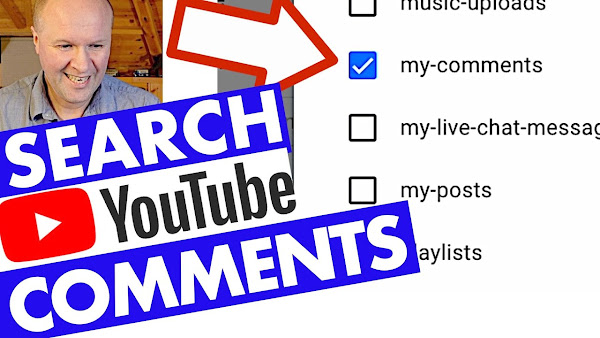
How do you find your own comments left on other people's YouTube channels? Unfortunately you can't search for someone else's comments on other channels, but if you're looking for your own YouTube comments these 2 methods might help. How to see your comments on YouTube with Watch history and Google Takeout.

Find ALL your YouTube comments, instantly!


0:00 How to search for comments on YouTube?
1:13 How to search and find your own comments on YouTube? Using your YouTube history.
2:53 How to see all your comments on YouTube, using Google Takeout

TRANSCRIPT: (CLICK PLAY ON THE VIDEO ABOVE)

THIS IS THE TRANSCRIPT - CLICK PLAY ON THE VIDEO ABOVE!

Hello I'm Neil, welcome back to the Happy Hut!
How do you search for your own comments right here on YouTube?
So those are your comments that you have left on other people's videos.
I've found two different ways to do this: the first way is really easy but it's not very good for searching way back into the past. And it doesn't bring up that many comments without a lot of scrolling. 
The second way I think is brilliant, but this method takes a bit longer because it means downloading all the comments you've ever made right here on YouTube. 
I know why I want to search for my comments. Usually it's either to help me find a video that I've seen in the past and I can't remember the title of it... or it's to go back to a comment that I've left in the past to see if anyone's replied to it. 
The YouTube dashboard for comments isn't very good, is it? 
And when you press on it, it brings up the latest comments but it's really easy to miss replies. 
If you know a different way of searching through in comments please leave a comment down below - Leave a comment! A comment that you can't search for! 
But if anything changes after I've made this video, I'll leave a link to the very latest YouTube help article.
Let’s jump into the first way for searching our comments.
All we have to do is go to youtube.com - your regular YouTube page - and in the top left hand corner there are these three bars. 
We'll click on that and that opens this menu.
We’ll go down to “History” and that opens up our “watch history”... But what I didn't realise was - look over here on the right hand side - under all these other options there's “community history”, “clear watch History”... all the way down here we can click on “comments” for “manage all history”.
This opens up a page called “Google my activity” and it's where all of our activity on Google is stored. 
It’s very helpfully opened up the YouTube comments page on here but there's one small problem with this. I think it's quite a big thing.
There's no search bar! There's no search box to go through my comments, so these are all the comments that I've left on YouTube, ever, in Reverse chronological order!
But I can't search them. If you want to search through - maybe a year or two - this isn't a great way to do it. But if you want to search for a particular word that you know is in your comments... so I'll hit the “command F” button on a Mac, or “control F” on a PC.
The search term that I'm going to type in is RPM and it’s... it's jumped me straight to the comment right there. 
It's showing there's only one comment, and it's taken me straight to that comment. 
This might be all that you need, but for me it wasn't enough because I want to go back through all my comments.
If you're finding this useful thank you for being awesome by hitting the thumbs up button or the Subscribe button: let's take a look now at the second way to search our comments.
We need to go to a website called takeout.google.com
And this is a special service that Google provide for you on your account so you can see in the top left hand corner, it says “Google account”. Google takeout is great because... it's also scary because this is where Google stores all of our data.
And it offers a service where you can download all of the data that Google holds on us.
You can see here at the top of the page: “Export a copy of content in your Google account”.
So this includes everything like Google Photos, “Blogger”, “Fit”, “podcasts", that... just everything. 
But if you scroll all the way to the bottom, it also holds our details for everything we've done on YouTube. Obviously, YouTube is owned by Google: that's why we're doing this through Google takeout. Because it's offering to download everything, everything has been ticked. 
You can see all these boxes have been checked, so we don't want those, so firstly I'm going to “deselect all” by clicking on that button there... and you can see nothing is ticked. 
And then we'll go down to “YouTube and YouTube music” and we'll check that box... and within this box you can even select the YouTube data that you want to download... “View History”, “Your Videos”, “Your subscriptions”... we don't need any of that, so I'm going to hit “deselect all”. 
I'm just going to click on this box here: “my comments”. 
And then we'll click “OK”.
I'm just going to get a “download link via email” and I only want to export it once... zip file is okay. 
I'm hoping there won't be more than one gigabyte of comments! 
But I have left a lot of comments, uh, so I'll just call it 4GB and then we'll click on “Create Export”.
Here's a summary of the request that we have made, and it's saying Google is creating a copy of files from YouTube... And it says the process can take a long time but we're not downloading that much data, so I'm hoping this won't take too long. 
Let’s do a time Jump!
Well we're now one minute later! It took one minute to create the file and send me the confirmation email. “Download your files”. And then it takes us to “manage your exports”.
And you can see that my YouTube export is ready for download, so I'll hit “download”.
It's an HTM file which means that if I double click on it, it opens the file in a regular internet browser... and here it is! 
This is every comment I've ever made on this channel! 
Look at it go! And it now means that if I click command F, or control F on a PC... and bring up “RPM”... you can see that there are actually 80 times where I've referred to RPM in one of my comments.
It's a topic I love talking about, clearly, so if I click the “down” button, I can now skim through every single time I mention the word “RPM”. 
And I've done that 80 times in my entire history here on YouTube! 
So this is it! Look how far it goes back! This is amazing... Don't forget that to find the very latest YouTube advice for searching comments, there's a link down in the description below. 
I hope this helps and right here are some other YouTube hacks that I have just for you. 
Can you please help my dad get to 1 million subscribers. Just click on his face, thanks bye! Can we have dinner now?

Previous post...
How to get a McDonalds discount voucher


All about me, and getting these by email.
Wednesday, 1 February 2023

How to get a McDonalds discount voucher


Can you get a McDonalds discount voucher for just filling in a survey from the receipt? 
Yes you can! And here's how we did it to get a big mac and fries for £1.99.

Here's how we get a MCDONALDS VOUCHER


TRANSCRIPT: (CLICK PLAY ON THE VIDEO ABOVE)

THIS IS THE TRANSCRIPT - CLICK PLAY ON THE VIDEO ABOVE!

[Music] 
So I've always wanted to make this video 
where you know on a receipt - maybe you don't have this in your country - but in my country on the receipt they give you a code... not that you can see it... they give you a code 
and if you type this in and do a survey they used to give you a Big Mac and fries 
and it doesn't say what you get now 
It says wait... I can't read what it says... I think it says it says a delicious deal: So what delicious deal do you get for filling in their customer survey? 
This is the dad delivers Vlog where I try something new every day to help your family and be happy... and today I'm going to... the new thing that I'm going to try is to try out this survey to see what you get from McDonald's for filling it in
By the way sorry for the... the noise in the background 
That's um some bikers... weekend bikers are right next to us 
[Music] 
We're now back at home here in the Happy Hut. 
It's three days later. I think McDonald's gives you seven days to do this survey so let's do this and get ourselves a free McDonald's! 
But it's not free is it? Because I've got to do this blimmin’ survey 
I'm practically working for the man! 
I really want one of those McDonald's caps, and I've completely gone into a rabbit hole for about an hour just now looking on eBay for employee caps. 
Do you want fries with that?! 
But that's not the site we want. We want this site which is MCDfoodforthoughts.com and I've already hit the first problem which is this the ink on the receipt! 
It disappears in about a day. 
It's like Marty McFly's picture in “Back to the Future” 
It means I can't go back to the past to do this survey! 
We've got to do this now before it disappears you can see what I can see on screen now: Welcome to McDonald's Food For Thoughts! 
Will I get some free McDonald's? 
Let's find out! Do you have your receipt available? 
Well there's no “kind of” box... but yeah I've kind of got the receipt here and then it tells you to put in the 12 digit code 
I can just about see the code... don't tell me I didn't get that McDonald's! I've got the documentation right here! Or maybe not - look at it! 
I mean it's just disappearing... and it wants the amount spent which in my case was four pounds 19. Oh and it says down here you will receive a voucher. 
It's a bit of a spoiler. You'll receive a voucher for one Big Mac back or fillet of fish or vegetable Deluxe and one medium fries or side salad. 
Yeah, “side salad”, for one pound 99. That's alright isn't it? It's a Big Mac, so let's see if we can get this Big Mac - and salad. 
What was your visit type?
I'm going to say “collect at the counter” but obviously I stayed outside with Casper the dog - Casper the cocker spaniel. 
Please rate your overall satisfaction with your experience at this Mac... McDonalds 
I'm going to say highly satisfied because I think the staff there get a hard time. 
We've got a good... we've got a good Mackie D's near us 
Where did you place your order? 
I think I had to send my son in to do it with my money when I sat outside with the dog freezing with the... the hairy middle-aged midlife crisis bikers. 
But I can't put any of that into the survey box. 
Did you use my McDonald's rewards on this visit? 
I did - no I didn't use rewards but I gave my son the app to get the points so I'm gonna hit “no”. 
Please rate your satisfaction with the temperature of your food or drink, the quality of your food and drink, the appearance of your food and drink. 
Let's just pause for a moment and look at the appearance of the burger I can't even remember what it was. 
Joe remind me, what... what did we get there? 
I forgot. 
Was it... it's a breakfast thing isn't it? 
Yeah it's a sausage... double sausage egg McMuffin 
No I added another pattie 
Alright so it's a sausage egg McMuffin with extra Patty...
Bacon.
Extra bacon? 
No just bacon 
Oh extra cheese? 
Yeah and ketchup okay, and on a scale of um one to ten what would you rate it? 
10. 
Do I get any?
Aww dude, I was too slow!
Alright, so I'm gonna... I'm gonna dock a point for the appearance 
It's a little unfair... no, no I'm... I'm so indecisive 
I'm gonna say I was “highly satisfied” with it. 
It looks like a dog's dinner - quite literally a dog's dinner - Casper was pleased to see... but I'm gonna give it highly satisfied because I wanted it to look like a mess. 
I wanted it to look like a McDonalds. 
Cleanliness of the toilet, accuracy of your order... well it was only one Burger but they managed to do it, and speed of service was fine. 
Was your order accurate? 
Yes it was because it was just one Burger. 
Did you experience a problem? 
No. I have had problems before. I'm very high maintenance when it comes to McDonald's. Please tell us why it was... 
You've got to write an essay?! 
Please tell us why you were highly satisfied with your experience at this McDonald's. Be as specific as you would like. Okay um it was a good visit because I've had very poor visits to other branches... branches or restaurants? Restaurants. I can't call them... it's not a restaurant! They put the order up on the screen when it was ready not like other branches who put up the food is ready when it isn't for a long time before it's not ready. 
Yeah I'll make the syntax sound like I eat in McDonalds a lot. 
Are the other restaurants on a timer or something, there. 
Would you like to recognize the staff member for providing great service. 
No because I was sat outside with the dog. So unfortunately I can't do that on this... I could... should I just make up a name?! Who served us? 
Would you like to recognize the staff member? 
Yes! 
Please tell us the name or description of the staff member who provided great service. I don’t know. 
Charlie... in a uniform. 
I hope there's a Charlie who works there now! So they’ll get some kind of weird survey love! 
Would you like to answer a few more questions about your experience? 
Sure it's all right... it's only... you're only wasting mine and my subscribers time. 
Did you customize your order? Yes. 
Yes well my son did. 
Was your order customized correctly? 
Yes. Based on this experience what is the likelihood that you will recommend this McDonald's to others?
I'm... I'm not sure I'll go around recommending it... Oh you must go... you must happen upon the McDonalds in our town! 
Yeah I'll just say it's likely. Visit McDonald's MORE often? 
Well I think that is likely anyway isn't it - uh - dog needs walking. 
Return to this McDonald's in the next 30 days? 
It's inevitable: we don't want to but it is inevitable that it's highly likely that we're going to go back to that McDonalds. 
It's... always works the same... you know it's not like the advert at the moment with the eyebrows and they go like that - it's just it's more of a bored, can't think of anything else to do, okay, kind of trip. Next. 
At what points during your visit did you interact with any members of the staff? 
And again I'm answering on behalf of my son, but I'm gonna do it um, when placing... placing or receiving my order.
Final questions for classification, so gender oh should I self-describe myself? 
I would self-describe myself as male um... 
You don't need to know my age do you? 
What are they going to do, send me a birthday card? 
Who was in your party on this visit to McDonald's. 
Well it was my dog and my son in that order - um - alright I put child... children and I'll put other family members because Casper... Casper's a family member. 
How would you like to receive your validation code to redeem your offer? 
Now if I get them to send it by email, I'm just gonna... I don't want them to have my email address... yeah okay “by email” 
Then you put in your name and your fake email address - your dirty email address -  and then thank you. You will receive an email shortly with your voucher. 
We care about what you have to say. Well give my regards to Charlie. 
I want this voucher. Where is the voucher? So let's now put my phone up on screen here: “Thank you for your feedback! Here is your McDonald’s voucher” Big Mac and medium fries and side salad for £1.99. To redeem the voucher simply choose an option below and that's valid for about a month, five weeks from now. so I've got five weeks to get my 1.99 Big Mac but I'm pleased with that. I think that's a good use of my time. How long did that take? 
Thanks for coming along with us on this journey to McD’s - it was a very special trip. It was lovely to have you here with us and right here is what YouTube thinks you'd like to see next! Can you please help my daddy get 10000 subscribers, just click on his face thanks bye! Alright this is gonna be the proper one right?


Previous post...
Pay ULEZ fee on mobile phone


All about me, and getting these by email.

Saturday, 28 January 2023

Pay ULEZ fee on mobile phone


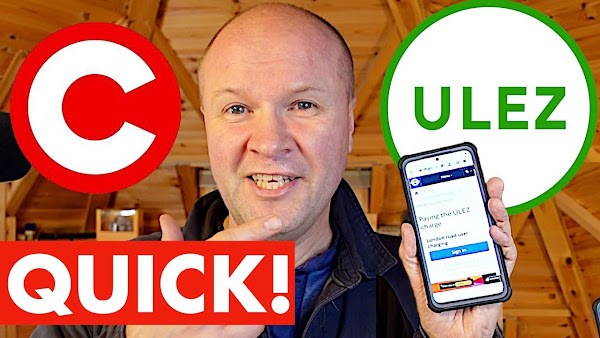
After driving into London this week, I pay my TFL London ULEZ (but not Congestion Charge) online using just my mobile phone. In this video, I walk you through step-by-step how to pay your ULEZ fee along with me.

How to pay your ULEZ by mobile!


TRANSCRIPT: (CLICK PLAY ON THE VIDEO ABOVE)

THIS IS THE TRANSCRIPT - CLICK PLAY ON THE VIDEO ABOVE!

Hello, welcome back to the hut. This is the Dad Delivers Vlog where I try new things to make your family happy and it's... It's a bit of a stormy day out there, outside the happy hut so I'm fairly warm in here. 
I... I went to London this week, and if you're searching for this video you too probably have gone through and you're going to have to pay the ULEZ charge. 
The dreaded ULEZ charge. Worse than that, Mayor Sadiq Khan is going to expand it so you're watching this in the future... I'm recording this before the ULEZ Zone was expanded in London. 
There's a link in the description below that is the link that I'm using. I'll put it on the screen here so you can follow along. 
This video is just so you can follow me paying my ULEZ charge using just my mobile phone. 
I parked outside my friend’s during a train strike and here's some footage of me making my way through town. I think this is the point where I'm in the ULEZ zone.
I drove all the way down to Croydon.
I know you're going to have a hundred questions about the ULEZ Zone and charge. 
Honestly the... the link in the description: I'll always keep that up to date. Let's get started!
I'm... I'm on the page now and... and there's a lovely advert for Nando's at the bottom. Stay classy Sadiq Khan! 
The first thing at the top of the page is to uh sign in, or create an account. 
We're not going to do that. I have no intention of doing this on a regular basis, so I'm going to do this as a guest. But if you do this more regularly you might want a London Road user charging account. 
I will scroll down so that you can see all of this information. You can pause the video if you like, but it might update by the time you see this video. 
But there’s a very reassuring button here “pay the ULEZ charge”. 
I didn't go so far into Central London to hit the “Congestion charge Zone”. 
They don't make this easy for Out of Towners like us so that we get to fund London who's clearly struggling for money! 
They keep it as oblique as possible to... to rake in the money from the fines which is my personal experience, so well done for being ahead of the curve in paying ULEZ if you do this. 
And I'm going to scroll down, so I don't need the congestion charge and ULEZ charge. You might need to do that: again Link in the description. 
The low Emission Zone charge I think is for special vehicles. 
I've just got a regular car so I'm just gonna go for ULEZ, and I'm going to hit the “pay” button. 
The first thing we need to do is to type in our vehicle registration number and the country of registration. 
I'm in the UK: It's a UK car. And we will scroll down more adverts on the bottom there. I'm going to hit “confirm vehicle”. 
Where are you driving? 
And this is where you get to select whether you want to pay for the congestion charge or the ULEZ charge. What I find really disgusting and frustrating is that I've given them my registration. 
They should tell me what I owe them. They've got the technology. They've got the power, but they rely on you reporting it so you can't use this site to check if you do owe the ULEZ charge. Which again is deliberate isn't it?
It's deliberate to increase the number of fines. 
Sorry, we'll get through this as quickly as possible, but I also noticed the administration department for congestion charge is based in Stockport! 
So... because I guess it costs too much to run it in London? 
I'm going to click ULEZ Zone... but here you can check the streets that you were in just to see which charging zones you will need to pay for. It's either “congestion charge AND ULEZ” or ULEZ by itself.
I'm just ULEZ, so I'm going to hit “Continue”.
Sorry this is so confusing. 
I'm trying to make this as straightforward as possible and I've done it twice and even I can't explain it.
Now the website invites you to type in the date that you were in the ULEZ charge Zone.
I was there on Friday so I'm just going to hit that big Friday button. 
At the moment at time of recording but please check, you have three days after you entered the zone. 
So that's three days after the day that you were in the ULEZ zone. 
And it's up to midnight on the third day that you have to pay. 
This might change after I've recorded this video. I'll put a note in the description to keep you up to date. 
So I don't want congestion charge but I DO want ULEZ charge so that's ticked. Congestion charge isn’t ticked and that gives me - at time of recording - 12 pounds 50 - so I'll “add to basket”. 
So here's a summary: ULEZ charge Friday. You can add other charges, pay for different Vehicles...
I'm going to get an email receipt for this because I do want a receipt that I actually paid for the right day and the right amount. 
And there’s a disclaimer. I expect... I expect? I accept responsibility. Yeah I see that TfL don't accept responsibility for giving me the right information but there we go.
And then I'll hit the “confirm and pay” button. 
Next the London mayor wants our card details, so we'll just put in our card details here. 
And that then takes us to the payment confirmation page. 
We've got the confirmation here, “thanks for paying”. 
Well thanks for providing us some clean air to dirty up with our car. Sorry London, 
and underneath it invites us to set up auto pay: So if you do this regularly you can set up an account too.
I think it makes it simpler, but this is just for a one-off guest payment. Good luck with paying your ULEZ charge. 
I hope this helps. If this has helped thanks for being awesome by hitting the Thumbs Up Button, and subscribe to the channel. We do all kinds of fun like this! 
Can you please help my daddy get 10000 subscribers, just click on his face thanks bye all right this gonna be the proper one right?


Previous post...
IKEA cushion that turns into a coat


All about me, and getting these by email.
Friday, 27 January 2023

IKEA cushion that turns into a coat


An IKEA cushion? That turns into a coat?
Is it any good?
I want to make this channel more about things that you can buy for Dads, but not sure if this falls into that category. It's an IKEA Faltmal cushion that opens up into a quilt that sort of looks like a wrap around coat. FÄLTMAL is both. With sleeves and buttons to stop it from falling down... and it scrunches down into the world's most uncomfortable cushion.

What does this IKEA CUSHION do?


TRANSCRIPT: (CLICK PLAY ON THE VIDEO ABOVE)

THIS IS THE TRANSCRIPT - CLICK PLAY ON THE VIDEO ABOVE!

Hello welcome back to the Happy Hut, I'm Neil and it is not warm today. 
It's a really Bleak January day. This is the dad delivers Vlog where I try new things every day to make your family happy and I've got this... but I've been driving my family nuts - absolutely crazy - with this. 
I've had this in the happy hut completely unopened and untouched for three years! 
I've been trying... I've been waiting to make this video. 
I think I got this originally for my Ikea dad Channel and I think I'm gonna have to shut that down because I want to do everything on this channel. 
This looks like a cushion: it's from Ikea and it's... it's a Faltmal. I think with the funny thing over the “a”... I think it's pronounced Faltmal. 
It's a Faltmal cushion that opens up into one of these! 
I don't know... it's a duffel coat? No a puffa jacket that's full length and maybe I could get to look like this guy! 
I think it's maybe that guy's thought that I haven't opened this for three years because I'm not sure that I want to end up looking like that. 
But I'm freezing today so I've gotta... I've got to open it so I thought I'd open it on camera with you and you can share along with me the joy of the Faltmal cushion. 
Is it a cushion or is it clothing? 
Can't even... right so it's seized up because I haven't opened it. 
Okay so it's got an orange zip... this is going to be a long video because I've never done this before so I don't actually know how you do this. 
There is a an instructional video or a promotional video? 
It just looks like a... some kind of dystopian future doesn't it. Where civilization has broken down and we're gonna have to be wearing these to keep warm. 
Funny that, isn't it? 
I don't know where in the world you are watching this channel but here in the UK it's pretty much... it's like the country is sort of broken down for a bit. 
We're just gonna take a rest and hand our money to companies so it's a good job I invested in this BEFORE the 2023 Financial apocalypse. 
Now I've got a second camera over here: when you open the zip, it pretty much turns into the coat. 
Oh look there are the arms, but the back... it's got all the... all the bags and things from the cushion. Uh sort of down the back. 
Oh look at this! It's got... it has instructions. 
I tell you what this reminds me of... it's... it's like a hospital gown. I hope you haven't had to go to hospital ever, but if you have this... this is what you have to do. So you’re shuffling around the hospital wards with... with just this open back. 
This is ridiculous! Okay no, I'm gonna go... I'm gonna... I'm gonna see this through. 
It feels... it also feels a bit like a straight jacket as well, which I'll probably need. Now there's a popper here, or there two poppers and I think I'm supposed to attach them on the back. So put that popper there... I don't know if I've done this the right way around? 
I thought there’d be a nice Hood? It does kind of look like there would be some kind of hood on it but alas no! It's more of a thing that covers your face. 
That's it, that's all there is to it. Let's go on this camera here. 
I thought this would be more coat-like and you can... right so there's some... so there are some downsides with this. 
First is... if I get on this camera here, you can really easily just to trip on it. 
Not that you'd want to be walking out anywhere where you might be seen in this. 
It is, look! It's like I'm ready for my colonoscopy now, isn't it? 
It's wipe clean as well and it's got this handy... oh man look at this: it's got this handy net thing here. If I tilt the camera down, so if I get some objects... hang on, like... I don't know. A bag or you know your TV remote control. 
Oh you could have like snacks! 
You could fill this with um maybe potato chips and nachos? 
Okay this is how you pack it away. I might have to speed this bit up.
[MUSIC]
I'm gonna keep this I think. 
I can't tear off a paper tag! 
It meets the Furniture and Furnishings Fire A ct. 
I'm gonna sit down, I'm going to show you what it's like sitting down. Let's go over here. 
So I'm now sitting in my IKEA chair... Oh that’s a bit bright. It's warm, it is... it's nice and warm. It's a bit irritating having this on your face. 
I don't even know if you can hear me right now, and you can just... you know feed yourself through the long economic winter... where your government does not support you, but does support the companies taking your resources. 
You can sit here and consider your life choices. 
So there it is that's not a very long video is it but is this something that you'd wear in your house? 
I mean even on the level of loungewear I'm not... I'm not... I'm not so sure that I feel comfortable even letting my family see this. 
Nevertheless I think I'm calling this a Dad delivers success! 
And right here is what YouTube thinks you want to be watching next 
[Music] 
I'm still cold. 
Can you please help my daddy get 10000 subscribers, just click on his face thanks bye! Alright this is gonna be the proper one right?


Previous post...
How NOT to fix my garage flat roof again


All about me, and getting these by email.

Monday, 16 January 2023

How NOT to fix my garage flat roof again


Fixing my flat garage roof again... 2 more leaks appeared in the garage since the last video. So it's back up the ladder on the roofing felt with more tar. Plus the bitumen is much thicker this time thanks to me tipping the liquid out on the last garage video. My wood store (aka box of planks) is ruined by rain water so I try to recover that, all while trying to make this video in the style of the ace YouTuber Emma Chamberlain. It's fun.

How NOT to fix my garage flat roof again


TRANSCRIPT: (CLICK PLAY ON THE VIDEO ABOVE)

THIS IS THE TRANSCRIPT - CLICK PLAY ON THE VIDEO ABOVE!

Do you want to go out?
Okay, I'm trying out this little microphone 
I don't know if it's any better than... 
This is Sunday and I don't want to Vlog 
I want to just fix the things in the house 
I want to get the camera out. It slows it down... 
But then if I don't film it, I don't do the jobs.
This is a video about how our garage roof isn't fixed despite the video where I think I said I fixed the garage roof.
I did. I fixed it. On the other side.
And then I noticed all these other leaks 
I don't know if I should be showing you our security 
I got that leak fixed which is wonderful and then another leak appeared and I didn't film me fixing that 
But I poured the rest of the tar that I had on the roof and I don't know if you can see the mould there... but I think I've got a tub full of tools 
I have a feeling that that tub is full of water 
I don't want to look 
oh no it's dry! okay 
same is not true over on this side 
water comes in there which I could cope with except... tragically it's gone into my precious wood pile 
If you identify as a man and you have kids... I don't know if you have your own pile of wood 
I don't know if it's a male thing or if it's just a me thing 
But this is really terrible because the leak is captured by my... is captured by my pile of wood holder 
look can you see the water! 
so it's now ruining all my wood 
anyway I'll deal with that later 
The most pressing thing is I've got to somehow fix this leak on the roof 
This is the weather for the next few days 
Can you see that? minus six and minus four! 
If I can get the tar into the hole... Oh no, I’m stuck.
I’ve locked myself in! 
Casper! 
Send help 
send for help 
Hello 
What? 
I've... I've locked myself in the garage 
Have you actually?
Yeah I don't know how... this door never works!
You’re so lucky, I didn’t decline.
Yeah. Can you let me out? 
Casper go get help!
Can you just turn the handle clockwise? No no no... just turn it clockwise? 
There you go 
Ah thank you 
I was gonna decline as well! 
I thought I'd make my videos more like Emma Chamberlain for once what do you think? 
What do I need to do to make it more like an Emma Chamberlain video?
Wear heels.
Or....
I’ll even use...
Tell you what, on this one I'll even use some Emma Chamberlain music 
I need to get a ladder.
[Music] 
[Music] 
I really don't like this ladder 
When you're taking it down it's... it's like it's going to take your fingers off 
Emma Chamberlain at this point would probably do a little bit of a fashion check? 
So I've got my painting gear on 
It's basically all the stuff that I don't want to throw out but I've got quite a lot of it! 
And this... this I got this at my old infant school party 
It's in Camden in North London 
Because the school's moving out because they're going to demolish the Infant School in Camden Town to build a new underground station 
Except it's still lying derelict 
I've got this six years ago now and it's still lying empty and derelict 
But I suppose I got a t-shirt out of it 
Casper is absolutely useless at playing fetch 
[Music]
[Music]
Someone left a comment on the garage roof video to say “did you stir the tar?” 
Did you stir it? 
And I don't know why, but I lied and I said yes and... well I did a little bit 
I did sort of stir it a bit but I clearly didn't stir it enough because look... that's what tar should look like, not the liquid that I was pouring before 
so at least it's thicker but because I've poured out all the liquid it is now super tough 
BUT the advantage with this... I can pour it really easily and it will just stay in place instead of just running off the roof. 
[Music] 
I have no idea where this leak is.
[Music]
The liquid, the actual water that's running in... I don't want to fall off the edge 
It's there 
There's um oh that seems sealed, so it could be there or there 
I’d better answer that.  Hey it's Dad, hi Dad!
[DAD: Fallen down a hole or somehthing?]
Who me? 
Yes 
Well, ironic you should say that - I'm on top of the garage roof 
Oh right okay, I’ll phone you back later.
Okay - I'll see you in a bit [Music] 
Before it was actually easier because I could just pour the tar on like it was with rain water, and it would just run where it runs and it would run into the gaps. 
But it's a bit more sticky now so I've got to spread it around with this old paintbrush that's solid from the last time I did the uh the tarring. 
The last time's over here and that's set really, really well and that... that works really well.
It's a bit like spreading peanut butter at this stage because all the liquid's gone out uh you know the peanut butter that you haven't stirred in a while. 
I don't know whether to speed this up, or to just let you enjoy me spreading the tar on the roof. What do you reckon? I think I'll leave it real time 
[Music] 
The stones are getting mixed up in it.
[Music]
I think that's it. 
It looks like something that a six-year-old has done.
I think that um all the bits that need to be sealed are sealed. Just give that a try. 
Okay so I've done that, now it's time to assess the damage to the wood pile. 
I think maybe I'll put some sad music on this. I definitely will speed it up. 
This was part of the happy hut. I wanted to turn this into something and I don't know what 
I don't know why I'm hoarding this 
I think it's because whenever anyone wants a piece of wood then then I've got...
Let's clean this up. 
[Music] 
So um this is... that's how much water is in here and it stinks. 
It really stinks... oh man 
[Music] 
Throw those away, oh geez, oh my God. And my two saws! 
[Music]
Maybe if I leave the wood out while it's minus six maybe that will kill off the mold?
What do you think? 
I don’t know why I’m keeping this. 
I think... it’s to build some kind of model Railway system that's hidden in the happy hut... and I could just sit there in my 60s and just watch a little train go round and round. I think that's all that's all I want in life. It'll happen one day.
But I’d better use that energy and that Ingenuity to, you know, stop the house from falling down and then... then I could build my little model Railway.
What I should do now is show you what happened next but um... I don't think it's going to rain for... for a week now and I want to get this video out.
I'm... I'm not sure that was very much like an Emma Chamberlain video? 
[Music]


Previous post...
How to make a LINK to subscribe to your YouTube channel


All about me, and getting these by email.

Tuesday, 10 January 2023

How to make a LINK to subscribe to your YouTube channel


How do you make a link to subscribe to your channel?
A link you can put in the description so that when the viewer clicks it, the link directly takes the viewer to a subscribe dialogue button where they can become a subscriber?
It's all in this video, plus the subscribe link is just below

How to make a LINK to subscribe to your YouTube channel


TRANSCRIPT: (CLICK PLAY ON THE VIDEO ABOVE)

THIS IS THE TRANSCRIPT - CLICK PLAY ON THE VIDEO ABOVE!

Hello welcome back to the Happy Hut 
It's not the warmest day in the world today 
I'm Neil and I help high achieving creators and performers just like you high five to get ideas out of your head and out onto here on YouTube to make the world happy. 
But the hardest thing that I find here on YouTube is gaining subscribers and I'm taking a wild and crazy guess that THAT might be a problem for you too. 
I'm going to share with you a little something that might just might get you one or two extra subscribers and it's this! 
It's this little link that you can put in the description for your videos where you can say “click here to subscribe”. 
When you click on the link, it takes you directly to a subscribe button for your YouTube channel. 
I don't know why YouTube still places a great weight on subscribers. 
Years ago you had to actually subscribe to a YouTube channel to be able to be offered their videos. 
Now YouTube offers us videos from channels that we watch with without us needing to subscribe to them BUT as you know, YouTube doesn't release features without say, 500 subscribers to get community posts... 1000 subscribers for the precious monetization - that might be something that you're aiming for right now. 
You need 10000 subscribers to get YouTube stories, and 100000 to get a play button. 
I've uh... I've got a play button, but it was made by my son for a 1000 subscribers. 
That's the Brown play button. But just think, one day we might even be able to get to hold one of these! 
It was all a dream! 
But back to our massively successful YouTube channels... and back to this magical link where you can put it in your description right now and when a viewer clicks on the link, it magically takes them to this window where they can subscribe to your Channel with just one click. 
Hopefully it might get us some more subscribers. 
Would you like one of these links? 
Excellent choice! 
It's very simple: just copy the text that's on screen now, or funnily enough it's down in the description for this video. 
And it's youtube.com - you don't need to type in the https:// youtube.com/@neilmossey?sub_confirmation=1
And obviously where it says your handle, don't type in the words your handle - that's where you put in your actual YouTube handle. 
It's a new thing that YouTube has introduced where everyone gets their own unique YouTube name and if you want to change your handle, or your YouTube name before doing this... I've made a video all about it right here. 
Let me know if you get one of these for your channel down in the comments below and thank you if you hit the thumbs up button or the Subscribe button and maybe one day we will all get that diamond play button! 
[Music]


Previous post...
How to change your YouTube channel name?


All about me, and getting these by email.

Wednesday, 21 December 2022

How to change your YouTube channel name?


How do you change your name on YouTube? Either your name on YouTube or the new @ handle. And how do you remove the numbers in your YouTube name?
I go through all of these questions step-by-step using only my mobile phone. 

How to change your YouTube channel name?


TRANSCRIPT: (CLICK PLAY ON THE VIDEO ABOVE)

THIS IS THE TRANSCRIPT - CLICK PLAY ON THE VIDEO ABOVE!
Hello! Welcome back to the Happy Hut. I'm Neil and it is cold tonight. 
This is the coldest night of the year so we'll get through this as quickly as possible.
How do you change your name on YouTube? 
We are going to change our YouTube channel name, but we actually have two names on YouTube... look at my channel here. 
Firstly we have the channel name, so this channel you're watching right now is called “Neil Mossey”. 
You can choose anything you like up to 50 characters and it has to be within YouTube Community guidelines so no rude words! 
But there's a second name down here which starts with an @ symbol and YouTube calls this a handle. 
It's a name that's completely unique to you so no one else on YouTube has this, and it kind of works like the @ names on TikTok and Instagram. 
I've got the YouTube guidelines on screen now, so this can be anything from 3 to 30 characters long and YouTube might have just made up and given you your handle that you have right... right now. 
And it usually puts numbers on the end so you probably want to remove those numbers from your YouTube name. 
If you want to do this using your desktop computer, I'll leave a link down in the description and YouTube will change this over time. 
I'll leave a link right down in the description for the very latest guidance and advice for how to do this. 
So the first thing we're going to do is open the YouTube app, and then I'm going to click on the avatar on the top right hand corner of the screen. 
And we'll make sure that we are logged into the channel where we want to change our name, so on here you can see I'm called “My super first channel” and my handle is my superfirstchannel5798.
I don't want those numbers, so we're going to click on the next menu option down: “your channel” and we click on “your channel” whether or not you have videos up on your channel. 
And on this page, just underneath our name and details you can see some options here. 
We're going to click on the pen icon which... which is the edit icon. 
This opens up all the details for our presence on YouTube. 
At the top here we can change the picture for our Avatar, so if I click on this camera icon here I am... I can even take a picture and change my avatar. 
And the first option down, if I click on the pen icon here, I can change the name of my YouTube channel. 
Now this name doesn't have to be unique, so there might be lots of channels called “my super first channel”. It doesn't matter, so long as it's 50 characters or less. 
The second option down is where we can change our handle. 
Let me show you what happens if you can't get the handle you want. 
So I want to change this to “mysuperfirstchannel” and lose those numbers. 
But unfortunately the handle has been taken by another Channel with this handle. 
What I can do is call this something completely different, so let's try “MySuperSecondChannel” and YouTube is telling me that this handle - this unique handle - is available! 
So I'll click on the “save” button on the bottom here, so if I wanted to change my channel name... I can click on the pen icon here and I could change this to whatever I like. 
And because of this it means that we have a completely unique URL! 
So we have a unique web page for our YouTube channel or our YouTube name and this URL is youtube.com/@mysupersecondchannel 
So if we go to our YouTube channel, this is how it looks now. 
I think it's beautiful! 
If this video is helping thanks for saying hi in the comments below it'd be great to hear from you and right here are all my videos to help you get started on YouTube.


Previous post...
How to free up Google Photos storage space on mobile


All about me, and getting these by email.

Thursday, 15 December 2022

How to free up Google Photos storage space on mobile


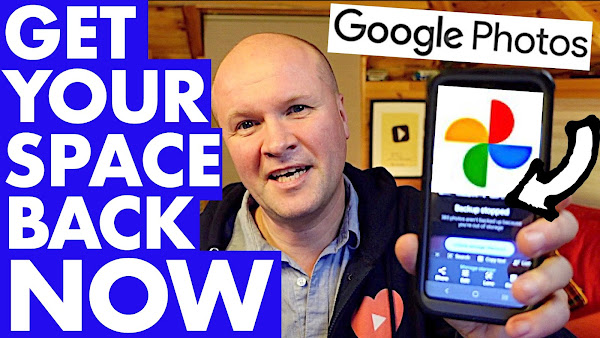
How do you free up space in Google Photos on mobile? Here's how to recover Google storage space when it's full! This is my step-by-step guide to solving the google photos storage full problem with 5 things you can do right now on your mobile phone. If your back up is full or out of storage, there might be something here which will help you bring your space back down to under 15GB.

I'll try changing the back up from original size to storage saver, easily search and remove any unwanted photos and reducing all the photos and videos in my Google Photos app to storage saver size.


FREE UP Google Photos storage on your phone


TRANSCRIPT: (CLICK PLAY ON THE VIDEO ABOVE)

THIS IS THE TRANSCRIPT - CLICK PLAY ON THE VIDEO ABOVE!
Hello I'm Neil, welcome back to the Happy Hut: this is so frustrating...
Is your Google photos suddenly full? 
You are getting warnings and error messages like these, telling us that it stopped backing up photos and videos... Even worse than that, it's shut down our Gmail! 
This is happening to me right now, so I'm going to show you quick things you can do right now on your phone to bring your Google photo storage back under the 15 gigabyte limit. 
I'll also show you how you can keep it under that limit without deleting all your photos and videos, or more importantly without giving Google any money whatsoever. 
You know Google? The most profitable company on planet Earth? Yeah that Google, that really wants us to buy some storage. 
You and I both know that buying storage from Google isn't a good idea because it will mean a monthly fee for the rest of our lives! 
And Google can increase that fee anytime they want to while they still hold on to our data and sell that to advertisers. 
We do not need to be giving Google a monthly subscription, so let's dive in with tip number one.
So the first thing we're going to do is to change the Google photos upload size from original quality to “storage saver” quality. 
You might have done this already but just let's make sure that that setting is set to storage saver because sometimes when the Google photos app updates it switches it back to “Original”. 
So we're going to click on the avatar on the top right hand corner of your Google photos. 
Don't click on “free up device storage” because that is just going to remove photos from your phone. 
We don't want to do that. We don't need to do that. 
What we are going to do though is go down to photos settings. 
We click on that and then we'll click on backup and sync, which is the first menu item here. 
If we scroll down we can see “upload size” and there are two ways that you can backup photos to Google photos: that is either “original size” which is the full fat big size of your photos and video... 
Or this option here: “storage saver”. 
Honestly I've been using storage saver for years now. I haven't noticed any difference and if you do want to keep the original resolution of your photos and videos, you can be backing them up to your computer. 
It really does make a difference with the file sizes as we'll find out on one of my tips in a moment! So I'm going to choose “storage saver”. 
Tip number two is that we're going to turn off Google photos backup. 
And to do that we're going to click on the Avatar in the top right hand corner again. 
We're going to scroll down to “photos settings” and then we're going to click on backup and sync. 
There’s a little toggle switch here: we're going to turn that off and the reason we're doing this is that once we've cleared some space from Google photos we don't want to be filling up Google photos with the pictures that are in our phone again. 
And later on I'm going to show you how you can set up a Google account just for your photos and videos. 
The third tip is to remove any obviously unwanted Google photos and videos. 
Click on the Avatar in the top right hand corner, and down underneath the “account storage full" you can see this button with three dots. 
I'll just click on it and that takes us to the “out of storage” window. 
There's a section down here called "review and delete” and this is where it offers to show you screenshots, blurry photos, large photos and videos, and other apps. 
Now I don't particularly want to delete these, but there might be some big ones here that you can delete. 
You can see from the sizes here aren't huge and I don't think they'll bring me back underneath the storage limit, which brings us to tip number four, and this this is the killer tip. 
This is how you and me are going to beat Google, and it's to reduce the size of all the photo and video files in Google photos just in one go. 
Now you can't do this on the Google photos app, which I think is pretty disgusting, so what we need to do is to open a browser on your phone. 
If you have an Android phone that's probably Chrome, and if you have an iPhone or an iPad that's Safari, and we'll type in photos.google.com 
Next on the top left hand side, you see the three lines there? 
We click on that to open the menu just to make sure that we are logged into the correct Google account. 
You can click on the Avatar face there if you want to change the accounts. 
Next we'll scroll down, and down here where it says storage we're going to click on the word “storage" and this is like manage storage on the app... 
But if you scroll down, the app doesn't have this option: “recover storage”. 
And by the way if any of these tips are helping, please say hi in the comments or hit the thumbs up button. It really helps other people to find this video so thank you. 
On the “recover storage” option here, we're going to click on “learn more" and it opens up this scary warning. 
Now we don't know which photos and videos in Google photos are at the big original size or the smaller storage saver size. By clicking on this option, it will reduce all of the photos and video file sizes down to the storage saver size, which will free up loads of space. 
I'm going to click this warning disclaimer here: I understand that it cannot be undone... 
and then I'm going to hit the blue "compress existing photos and videos” 
Now it looks like nothing has happened... look our storage is still at 16.3GB 
If I scroll back down it says compressing. 
It does take a couple of hours, let's see how this fixes my Google storage! 
It's now 8:30... 7 hours later. Let's open Google photos app. 
We were on 16 gigabytes. If I click on my avatar, whoa! Look at that! 
Account storage 7.8 gigabytes! 
We did it! Woah, we did it! So for me this tip reclaimed about eight gigabytes of storage, but more importantly it's got my whole Google account working again! 
But that's not all, because we can now keep it off. 
Because tip 5 is to create a Google account just for your photos and videos. 
I've got a video all about that, it's right here. You'll never run out of free Google storage again and you can create a new Google account for every year. You could create one for every month if you wanted. The step-by-step instructions are right there or in the link that's in the description below. In your face Google!

Previous post...
How to start a YouTube channel for beginners 2023


All about me, and getting these by email.
Thursday, 8 December 2022

How to start a YouTube channel for beginners 2023


How do you start a YouTube channel? If you want to create a new YouTube channel from scratch, this video might help. I've launched many YouTube channels, and 2 have become monetized... I've done it the wrong way many times, so here I'll help with step-by-step instructions for you to start your very own channel on YouTube!

Start a YouTube Channel in under 5 minutes... the right way!


TRANSCRIPT: (CLICK PLAY ON THE VIDEO ABOVE)

THIS IS THE TRANSCRIPT - CLICK PLAY ON THE VIDEO ABOVE!

Hello welcome back to the Happy Hut! 
It's not a very nice day today you can see Casper at the window there... 
Hello I'm Neil Mossey, and YOU want to make a brand new YouTube channel! 
What are you thinking! 
This is it! This is gonna be the time we're gonna get through this. 
But it looks difficult enough even knowing where to start. 
But trust me, it is really easy and you can follow along step by step. 
I'm going to make one right now, we're going to do this together. 
I've created a lot of YouTube channels: two of them have become monetized, so I'm in the YouTube Partner program. And it is absolutely lovely getting money... getting paid by YouTube every month, but I have hit some problems along the way. 
So I'm gonna do this to avoid any of those mistakes and problems further down the line. 
The first thing we'll need is one of these, a Google account! 
And you can skip ahead if you have one of these already, but it is much better for me to create a brand new Google account for the YouTube Channel. 
I do this just in case something goes wrong, either with my Google account that wrecks my YouTube channel... or something goes wrong with my YouTube channel and then I lose my Google photos and Gmail... so I just keep the two separate. 
There are some terrible things happening out there. 
At least this way I play it safe and one won't affect the other. 
I've signed out of Google to start a new account and up here in the top right hand corner we've got “Sign in” so we'll click on that and then down here on the sign in page there's an option “Create account” 
So we'll click on this. It gives you three options: “for my personal use”, “child” or “work or business”. 
I'm going to choose “for work or my business”: it just keeps it clean and separate and “not me”. 
What do you want to call your channel? Leave a comment down below. I'm gonna call this “my super first channel”. 
Next we'll verify this account and agree to the terms and conditions, and now it confirms that the Google account is ready. 
And that takes us back to the Google home page with the avatar in the corner showing that we're now logged in with this new account! 
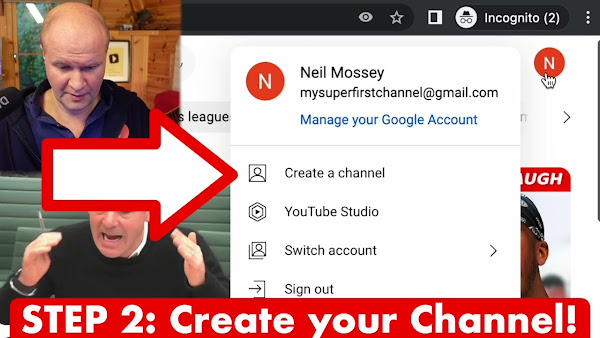
Now it's the exciting bit! We'll go to youtube.com and you can see it's already automatically signed me in. There's my avatar at the top. 
If I click on it we can see that I'm logged in as “my super first channel” and the very first option on this pull down menu is “create a channel”. 
Let's click on it... now this is where it gets slightly confusing. 
Even though we created a Google account that is “for work and business” it still wants the YouTube channel to launch with your name. 
And your handle is your unique name on YouTube, so what I'm going to do is I'm going to change the name of the channel to “my super first channel” and it lets me have that as the... the handle. 
There’s a little green tick, so I'm going to click “create channel”. 
It's looking a bit bare... well it's looking very bare, there's nothing here at all so the first thing we need to do is to upload a video. 
Very generously they've given us a button here to “upload video” but I'm going to use the proper button to show you where it is for all the other videos. 
Up here on the top right hand corner, can you see there's this kind of camera icon with a plus there? 
And if I hover over it, it says create... and you have two options. 
You can either upload a video or go live. Obviously we're going to hit “upload video” and then it brings up the “upload videos” dialog window. 
“Select files” and then we're going to find the video file that we want to upload and click “open”. 
This opens up another window where you answer some questions about the video. You can change these later on, so you don't have to do this now, but we can give it a title. 
So I could just... I don't know... call that “welcome video”  and then down here we have the description box, and that's where we can type a description for the viewer. 
You can change all of this later on. This is where you can put in a thumbnail... you can add it to a playlist... and there are even more details... 
We can fill those later on. I'll click on “next”. 
Oh it's reminding me that I have to say whether or not it's “made for kids”. 
It's not made for kids. 
Don't be confused there. It might be acceptable for kids, but it's whether or not your video is specifically geared towards children... so if it's like a cartoon or a nursery rhyme that's the only time you'd hit “yes” - even though my videos are safe for kids to watch. 
And it's explaining that the video is going through some checks, and then we have a choice. We can either make the video go live right now by selecting “public” or I can just save it so that anyone with the link can see it. That's “unlisted”. 
I'm going to choose “private” for now and then I'll make it public when I've got everything ready. So we'll go down to this box down here. Save, and this is the first video on my channel content page! 
But this video is now ready to go live. I'm going to show you how to go into the video to change anything you want to do. 
I'm first going to click on the pen icon to open up “details”. 
This video is now ready to go live so we're going to go to “visibility”, but if we pull down this box we get those options that we saw earlier... so the video can be hidden so it's “private”. We can make it “unlisted” and down here is “public”, so I'm just going to make it go “public” and live. 
I'll hit “Done”. 
Now it won't go live until I hit “Save” on the top right hand corner here, so let's hit “save” and this video is now live on YouTube! 
Out on the internet for anyone to see it. It's a... it's the greatest buzz. 
You've got to do this! You've got to do this. If you've managed to get a video up onto a brand new channel, I'd love to hear from you down below in the comments below. 
It'd be great to see your channel and your first video... and right here I've put all my YouTube hacks, so everything that I need for making a YouTube channel. 
It'd be awesome to bring you on the journey with me, if you want to hit the Subscribe button. I know you can do this! You've got to do this. We need your videos on YouTube. You've got this!


Previous post...
Lidl Vs Aldi New Supermarket in the UK


All about me, and getting these by email.