THIS IS THE TRANSCRIPT - CLICK PLAY ON THE VIDEO ABOVE!
Hello, I'm Neil Mossey and welcome back to the Happy Hut.
It's a lovely warm day today in the Hut because... let's come back in...
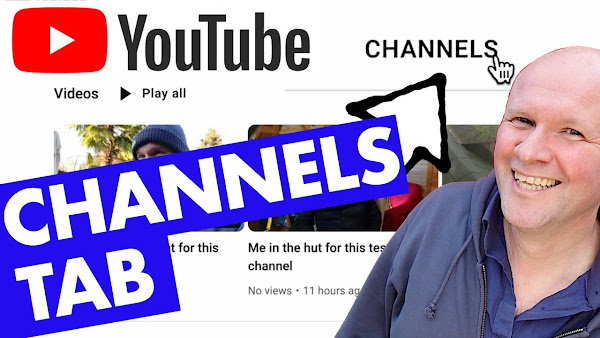
Do you want to add a channels tab to your YouTube channel?
Like this one here!
This is my YouTube channel page, and you can see these tabs along the top here, but there's one here marked “channels”.
Let's click on that, and that opens up a list of channels that I want to be linked from my YouTube channel.
It's a really nice feature to have so I'm able to link to some of my other channels.
Like right here, I've got my dad Channel, my trains and my Ikea Channel.
Or you can link to your friends, or just the channels of your favourite creators on YouTube.
So, I've got Casey and Shelby represented here.
I don't think it actually does very much for your channel, but it does publicly showcase the channels that you want to be seen to be linked to.
But it's not that easy to add this list, so here we go now with the step-by-step instructions.
I'm going to walk us through this.
There are two ways we can get to the place where we need to add the channels.
Either on YouTube, just go to your channel and if you're logged in, there's this button here, 'customize Channel.'
Or, this is the way to do it on a mobile or desktop device.
Go to studio.youtube.com and on the menu down the left-hand side here, way down at the bottom is this tab, 'Customization.'
This is where we make the featured sections on our Channel.
You know, those rows that you get on your channel page, like these ones here on my channel.
We need to make a row for our featured channels, and that row is where we can put the channels that we want to link to.
On the right-hand side, we'll click on this button here, 'add section.'
These are all the things that we can add to our main YouTube channel page, but right at the bottom here is 'featured channels.'
I'll just click on that.
There's a search box here where we can search for the channels that we want to add.
Here's a quick tip, if you're finding it difficult to find the channel, you can get their unique URL from their Channel page in the address bar, with or without the '@' symbol.
So, look, I can paste the @ handle here, and it shows the channel to add.
To add it, you just click on it here.
Then it lists them on the right-hand side.
Once we have a few channels, we can put them in the order that we want by using these grab handles down the side of the channel names.
So, I could bump up my Ikea dad Channel, I could bring Shelby, should I bring Shelby all the way to the top?
Not quite top, they'll have it under the dad Channel.
I think this is the order I want, so we can now give this collection any title that we like.
I think I'll stick with that one.
Now, when I click "done" down here, that saves the featured channels as a row on our YouTube channel page, and I'll hit "publish" at the top.
And look at this, there they are, my YouTube channel buddies! Looks perfect.
But not only are the channels here, if we click on the "channels" tab at the top, there they are, they are now in our channels tab.
Of course, we can do the same process to edit or change these at any time.
Leave me a comment to say hi if this is helping, and thanks for being awesome and hitting the thumbs up button.
And right here is a bunch of videos with some other tips and tricks for your YouTube channel.
Can you please help my dad get to 1 million subscribers? Just click on his face.
THIS IS THE TRANSCRIPT - CLICK PLAY ON THE VIDEO ABOVE!
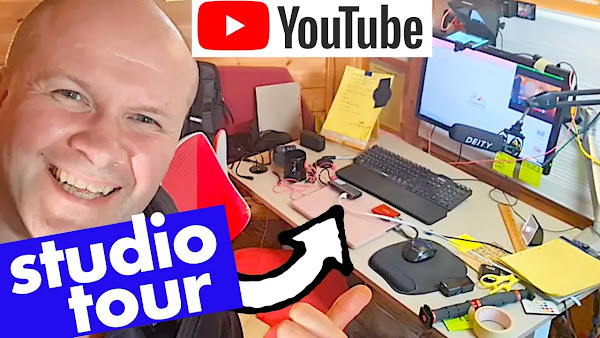
Hello, welcome back to the Happy Hut. I'm Neil, and this is a bit self-indulgent, but I thought this might help you if you are starting your YouTube channel. It's been a while since I've done a video on my YouTube Studio setup, so I thought I'd show you how things are looking here in the Happy Hut. Because I've picked up little ideas from here and there from other people's videos, so I was hoping that while sharing how things are going in here might actually be useful if you are thinking of upgrading equipment or having a setup. I'll just turn this to the side there because that's blasting us. So this is the current setup. Welcome to the Happy Hut. Here's the camera I use the most, this is the Sony zv1, and I'll put links in the description for all of the bits of equipment that I'm showing. Let me go back to this camera here. By the way, this camera is the DJI action 2. And I've got a new attachment here. This is the DJI mic, but I'll talk about that in a moment. That's what you're hearing me on now, but let me show you the main setup for my desk videos. I use this Sony ZV-1 or ZV1 camera, and I don't usually have a Portaprompt attached to it, but I've started to use that in the last week or so, so we'll see how that goes. I have a video all about how to set up an Autocue or Teleprompter for your camera and your YouTube setup. That link is in the description. Now, this is wonderful. The way it works is it reflects the screen that's below it, which in this case is an old mobile phone of mine, and I'll show you how that setup works in a moment. And this Portaprompt just clips onto the end of my Sony ZV1 lens. But that lens, if you're familiar with the zv-1 or zv1, you'll know that this doesn't usually come with it. This is a Neewer wide-angled lens, and I don't really need the wide angle in here, but it is really handy for clipping the Portaprompt onto the body of the camera here. I've got a video in the description. It's playing on screen now where I show you how the Neewer lens works with this Sony camera. It's been absolutely brilliant, and I keep it on all the time there. I've got the Portaprompt hood, and I've managed to somehow finally connect. I can show you what I'm seeing. I've managed to connect my PC to my prompter there. If I change the, let me get a script up on my PC.
So this is something I recorded the other day, so I've written out the script in Google Docs and made it really large font, but I've also made the screen size really big on the PC. Then I output, I don't know which camera to look at! Then I put the... I output the PC on an HDMI cable. Let me show you that. That's the yellow cable here. So, I've got the PC going out to the monitor, but also, it goes in this cable, and it's a bit hidden back here. I might wreck my setup. Took me a while to figure out, but I've got the HDMI cable going into a video capture card. That link's in the description. It's about $15. It's brilliant. It turns the video signal into a USB feed that then goes into this adapter. I needed this adapter because it needs to be powered, to power the capture card, so I've got a power lead, USB-C power lead powering that adapter, and then that sends the video signal into my Samsung S8 phone.
Oh, it's falling down, it's still holding out though, and I can see the script on screen. I only needed to do one more thing, and that was to make the video “mirror image”. And I've used an app on the Google Play store called, I think it's called OTG camera. I've got it on screen now. The reason I have that is that it turns the video feed and it turns it backwards so that when it's reflected in the lens hood of the teleprompter, it reverses it so it reflects it, so I can now read it. So you can see that's my script, and I can change the size by just changing it on the PC. Let's double the size, there we go. Oh, look at that, nice big text to read.
And that's made it much easier to deliver long videos to camera because I can have all my notes in my eye line and see what I'm supposed to be saying or, you know, at least not lose my thread in the middle of a sentence. The usual microphone that I use is this, it's the Deity or Deity D3 Pro, and it's a shotgun mic. So I'm not sure that you're supposed to be using it this way, but I get it as close as possible using this, Mic Arm. And this is, it's like a podcast or radio studio arm, it's an Innogear arm, again, that link is in the description if you wanted to take a look at that, but it's desk mounted, and it's really easy to just angle. I can just pull it over and not make any noise, so I can pull it close, I think that's probably bit too close, or have it out of shot so you're hearing this microphone right now. And I think it has a really warm, uh, warm voice. It's not cheap, but because this is an older model, this microphone is quite heavily discounted at the moment on Amazon. So if you're looking for a shotgun mic, can really highly recommend that. I've got a video all about how it works and its features. That's in the description and on screen as well. I've got this microphone feeding out onto this cable. That cable goes into the camera, the zv1 there, and that is how I record my voice these days.
But if I am out and about, I now use this. It's the DJI mic. It's a wireless mic. You get two mics in the box, and it has absolutely transformed my vlogging and filming because I haven't got a cable now connecting me to the camera.
I can go wireless. So let me show you how that works. I'm wearing the mic, one of the microphones here, it looks like this, really small and discreet. I've actually coloured in the DJI logo so it wouldn't just show on screen all of the time, and I can tell that the receiver here is receiving this microphone because you can see the green bar going up and down as I speak. So at least I know is capturing audio. I just click that microphone to me here. It's a built-in microphone, but you can plug in a better microphone or a different microphone if you wanted in that socket there. And also, this little unit also records audio as well, so if there's a problem with the radio connection between the transmitter and the receiver, this will be recording it. So that has been an absolute video creation lifesaver.
I'm still using the DJI Action 2. This is wonderful because it's discreet, and if I'm out filming in public or on the streets or on trains, um, it's tiny. It has really got me out of some filming difficulties. I've even clipped it to my cap while I'm doing some DIY over on the other channel, the dad delivers Vlog Channel.
Let me just show you the studio setup. Uh, this is my desk. It's a Skarsta, Ikea Skarsta adjustable standing desk, so I can wind it up. Oh, it's going to hit the camera. I'm always going to demonstrate it, this all standing up. Anyway, you get the gist. I could do this standing up, and that's a lot easier sometimes when you're demonstrating something. Also, on the desk, the Field of Dreams, I've got the MacBook that I edit on, and over here, I've got this hub - so I can plug things into my computer just by doing it on the desk without having to go behind the desk and on my hands and knees to plug things in or unplug things.
I still have to do that. You can see the spaghetti back there. I do need to plug things in now and again, but it's a lot easier having the easy access to them on the desk. I've got a new clock too, so I have a radio clock over there, which is handy because that keeps time. But over here, I've got this. I love this clock. It was only 10 pounds on Amazon. I'll put that in the description as well because I just love the look of that. And I've also, just to help me with script writing, I've also got a visual timer as well, which really helps me to stay focused. So, if I turn this up to say, I don't know, you can turn it up to say 25 minutes, and that will count down. I'll be able to see it visually as that countdown goes, so it's very difficult to lose time when you've got this in your eye line. That has really helped with the editing and the script writing. So, that was it. That's my brief whistlestop tour of the Happy Hut YouTube studio. Is there anything that you would recommend or anything that you want to see me try out here on the channel? Leave a comment below or share pictures of your YouTube setup. I'd love to see them. And right here is what YouTube thinks you would love to see next.
What is your day rate? How do you decide what your day rate is?
How do you set a day rate? And how can you increase your day rate? Or at least not fall into a situation where you take a job and then realize you're not being paid enough for the work you're delivering... In this video I walk you through 8 easy questions to ask BEFORE you give your day rate. This is mainly for content creators, or producers, people working in TV, radio, podcasting or YouTube... but guess this might help in any industry. Have I missed any good questions you would ask before giving your day rate? Leave them in the comments below, I'd love to see them!
THIS IS THE TRANSCRIPT - CLICK PLAY ON THE VIDEO ABOVE!
Hello, welcome back to the Happy Hut. My name is Neil Mossey, and this is a bit of a forward question, but what is your day rate?
If you are a freelancer or a contractor, or just someone doing work for someone else, the question that always comes up when I'm approached for work is, "What is your day rate?"
It usually comes up just at the end of the conversation.
"Oh, can I just take your day rate?"
And I have no idea how to answer that question. And you might be in this position as well, so I want to share these questions that will help you feel good about the day rate that you charge.
I think it also might help you to increase your day rates.
It's really difficult setting a day rate because obviously you want it to be in the right ballpark so that they give the job to you, and you also don't want the day rate to be too low so that you undercut yourself. Naturally, I want my day rate to be one million dollars!
But what it's really about, I think, is when you accept the job, not getting to the point where you're in the middle of the job, realising that you're being paid too little.
And there's a problem with the question, "What is your day rate?" because it implies you should know how much you charge, Mr. or Mrs. Professional.
And your rate should be in line with the norm of what this job usually pays.
It makes no sense to have a fixed figure that's just the same for all circumstances and all clients and all companies. And that's why I'm sharing these eight questions that you can ask before answering the question, "What is your day rate?"
We need to know the full scope of work and what is expected of us. So, these are the questions on screen now. Let's go through them one by one, and I will explain how and why they would affect our day rate.
These questions aren't in any particular order, but the first question is: How many days of the day rate do you think this might be?
Now, this might put the person you're asking in a difficult position because, on their end, they may have a budget and might want to change the number of days so that you fit their budgets.
They won't want to tell you the budget because they actually want to move things around. But I would suggest we should at least get an idea of: Is it a two-day contract? Or 30 days or more or less? Because the number of days will affect our day rate.
If it's, say, 30 days, I can apply a discount in reward for the block booking, and that's a nicer way than saying “if it's two days, it's more expensive because I've got to protect those days because I can't take on any bigger contracts. Plus, I've got to find work either side of those two days.”
None of that is the problem of the person hiring you, so let's not burden them with it. The reason more days is better for your clients hiring you is because you can apply a discount, and that needs to be reflected in the day rate.
The second question is: What is the schedule?
Will delivery need to happen tomorrow, or over the course of a couple of months?
Urgent jobs will cost you and me more to deliver because we have no resilience, no margin for error. The schedule affects the day rate because if it's urgent, I need to make sure those days are protected and that the delivery is protected. And you can join in with the catchphrase: that needs to be reflected in the day rate.
Question number three is: are the days consecutive?
Do they expect the days of work to be done together in a row?
Or do they expect the work for Monday to Friday? Or is it three days per week for three weeks? Or is it completely flexible?
This kind of ties in with the earlier schedule question.
I think three days of doing work on working up the actual idea for an overall project, for example, is different than 20 days of working on the project. And say it with me, this needs to be reflected in the day rate.
We're plowing through these, we're halfway already.
This is question four, is any work needed before the project? You and I will be expected to invest our time in getting up to speed with the project that the day rate is for. Let me give you a personal example.
If I'm writing on three episodes for a TV series, I will need to know how that series works, so that's time spent on the background of the project. I'll also need to know what episodes have been done already. So that's time being spent getting up to speed on the current status of the project. I'm spending my time doing that. And let's say this together: that needs to be reflected in the day rate.
I'm going to be talking about holidays and IP next, but thank you for the thumbs up or hitting the Subscribe button if any of this is useful so far, and if you want more of this.
Question five is, will there be anti-social hours?
So will there be work during evenings, weekends, and national holidays?
For me, I've worked on projects here in the UK that are co-produced in the United States, so there's a time difference which means causing the evening questions and emails at night.
And some of the delivery dates have been on bank holidays, national holidays here in the UK, which I can do. I'm more than happy to do that, but it needs to be reflected in the day rate.
Does the schedule mean that you'll have to work at the weekend to deliver the projects on time?
Guess what, that needs to be reflected in the day rate.
Question six that we can ask before for giving our day rates is, will people be working to me? Which is a nicer way of saying, will the job put me in a position where I'm have the ability to fire someone? That responsibility needs to be acknowledged and paid for. It reflects seniority, but it also reflects stress for me, because you're not just responsible for your work, but you're also responsible for the work of others.
And if, for any reason, any of those people fall down, that work will need to be done by me or I'll need to do work to fix that.
And that needs to be reflected in the day rate.
Question seven is, will I need to create any IP or intellectual property?
So, will I need to make something that will have a life after the job that I've been paid for? The contract usually the person paying for your days will want to own everything that you do, which is fair enough.
That is why they're paying the day rate. But we need to acknowledge that that work, the work that we deliver, has a worth beyond those days where we've done the work.
And that needs to be reflected in the day rate.
I'm going to walk us through what these questions actually mean for us, but the final question before that is, what actually needs to be delivered? What are the deliverables?
This doesn't affect our day rate, but you and the clients need to know what these days are expected to deliver.
For instance, um, for me, having to write three scripts in three days is different than writing 16 scripts in three days.
For those scripts to be two pages long is different than me writing scripts that are 40 pages long in three days.
That needs to be reflected in the day rate.
After all of these questions, we might feel better about giving our day rates, but you don't have to give the day rate here and now.
We can take all of this information from these questions and then send over a quote for our day rate with a proposed scope of work, or “plan for the job ahead”.
That means when they are comparing your day rate with someone else, they don't know if the other person who's cheaper has included any of this.
We look like we're good value because they know what our day rate covers.
For me, that works much better than blurting out a figure on the phone and hoping that I'm right when they ask the very innocent question, 'what is your day rate?'
It also defends me against cheaper quotes, and if the client wants to reduce your day rate or negotiate you down, at least we have a list of things now that they can change to bring that day rate down.
Are there any questions that you would add? Is there anything specific to your industry?
Leave it down in the comments below. And thank you for being awesome and hitting the thumbs up button or the subscribe button. And right here is what YouTube thinks you should be watching next.
I cover everything that I add to my video in the YouTube Studio dashboard, because like you, I want to optimize it and have the video looking its best.
I share how I fill out all the relevant fields when uploading my video, such as the title, description, and tags. I also use AI-generated title ideas (with ChatGPT) and write a paragraph like this one in the description box... plus adding Amazon Affiliate links and playlists to also help increase views and subscribers. The video also covers writing chapters, and the dreaded making a thumbnail. I even set upload defaults to avoid having to type the same text in each time. I'm hoping that this step by step ultimate guide to my YouTube upload helps your video have a better chance of being seen by a larger audience.
I also hope there might be some tips and tricks in here you might not have seen before.
0:00 How to upload a video to YouTube: Best practice... What I do after uploading a YouTube video
1:16 My best way for writing titles for YouTube videos: How to use AI generator ChatGPT to write a title for my YouTube video
3:40 How to write a good YouTube video description: Paragraph of text, Amazon affiliate, playlist, and subscribe links plus adding chapters and hashtags
6:12 How to use Upload Defaults in YouTube Studio to write a preset description and list of tags
6:51 How I add subtitles and closed captions to my YouTube videos, and use the transcript for a blog
9:26 How to add your YouTube video to a Playlist
9:37 Is my video "Made for Kids"? How to tell if your video is made for kids.
10:19 How I add tags to my YouTube video
10:55 How to set the language of your YouTube Video and whether to use YouTube license or Creative Commons licence
11:38 How to make an End Screen for your YouTube video: a clickable window which links to another of your videos. Plus how to add cards: the strip banner that appears on the top of a video which links to another video, playlist or link
12:44 How to make a YouTube video thumbnail. How to download the suggested thumbnail. How I make YouTube thumbnails using Keynote. And how to make your video go live on YouTube.
TRANSCRIPT: (CLICK PLAY ON THE VIDEO ABOVE)
THIS IS THE TRANSCRIPT - CLICK PLAY ON THE VIDEO ABOVE!
You and I have just uploaded a video to YouTube, but what happens next? There are all these boxes and forms and pull-down menus, and you know that filling these in will help your video be seen by more people.
I have just uploaded this video to my other channel, "My Dad Delivers" Vlog Channel, and I'm going to show you everything that I do when I publish a video here on YouTube. I'm not saying that these are the best things to do, or that you should even do any of these with your video. I'm just sharing all the different options for things that you can do with your video once you've published.
And when you do upload your video, it shows up here: studio.youtube.com. We'll go to the menu on the left-hand side here and click on "Content", and there's my video, "Smoothie Recipe". So, I'm going to click on this pen icon here, and that takes me into the details for the video.
And here is the dashboard for all the things that I can change with the video once it's published. You'll see that in the description, I've already got some writing here as a preset, so every time I upload a new video, I have the same text to start working with.
I'll show you how to do that in a moment, but obviously the first thing we can change is up here, the title. And this video is about me making a smoothie recipe, and the title is currently the same as the file name that I uploaded. But what do we do for a title? Do we make it really on the nose, like "How to Make a Smoothie Recipe," or do we make it slightly more oblique and slightly more intriguing, something like "I don't know, you won't believe what I did in a cup"? Each way obviously has a pro and con because if it's obvious, then your viewer is probably more likely to click on it. But if it's more enigmatic and creates tension in the reader's mind, maybe that will cause them to click on the video.
I'm trying something out at the moment, obviously this is new while I'm recording it. It's ChatGPT, which is using AI to generate some title ideas. You're watching this video in the future, so everyone's probably doing this all the time with everything, but it's a novelty at the moment. I'm going to type in something like, "Give me 10 titles for a YouTube video that would create tension and intrigue so the reader would want to watch the video." The ingredients include melon, apple juice, seeds, blueberries, raspberries, and ginger. It does not include bananas. Let's see what ChatGPT comes up with. Hit send.
Sure, here are 10 titles. These are the 10 titles that the AI is coming up with. All of them look great to me. So, the problem I have now is my indecisiveness. Choosing which one I want. Something that's gonna explain it but also something that's going to want to make someone click on this video. Oh, which one? Which one should I go for? The other good thing about using AI is that it throws out phrases that I wouldn't even have thought of. But also, I can use some of these words in the thumbnail later.
The titles that I like and put in the comments which one you would choose. I'm really like number seven, "Discover the Power of My NutriBullet Smoothie Recipe," and number eight, "My Secret NutriBullet Smoothie Recipe." And obviously, anything you choose, you can change later. For now, I'm going to go for "Discover the Power of My Smoothie Recipe," and I'll change the end there. So, I'll copy that over, and for now, I'll just tack on the end with no bananas and one NutriBullet. At least I've got the word NutriBullet in there to help with search. But the most important thing is to get humans to click on this.
Then the next big obvious thing is... is this description down here. I'll put an Amazon link in in a moment, but what I always do is to write a little paragraph. Some swear by having an SEO paragraph, so that's a paragraph of text that is optimized for search. There are a lot of people that say that's pointless because the algorithm is much more sophisticated than that, but I do want to put in some words that will let YouTube know the topic of this video, and also to help people clicking on it know what's actually in the video. I think that writing a paragraph with some good search terms, it does no harm whatsoever.
Some other things I'll put into the description box are an Amazon link for my Amazon Affiliates, so that if a viewer clicks on the link and ends up buying the product, I get a small commission. Further down the box, I put in playlists. So, I've got this playlist here, which is my favorite videos playlist, but I've also got a kitchen videos playlist. So, I'm going to open up my playlists, and for that, I'll go into content, and then this button here, playlists, and let's find my kitchen playlist. "I recipe some food", that's the one. Get shareable link, and then I will paste that there.
The next thing I've got in my description is this link here, where if someone clicks on the link, it opens up a box where they can instantly subscribe to my channel. I've made a video on how to make this link for your channel. That link is on screen now and down in the description. It's a really handy link to have to help people subscribe to your channel.
And then, at the bottom, I'll put in chapters. You've probably come across chapters as a viewer. You know when you're watching a video and there's a little title for a mini-section in the video? They're like bookmarks in the video that appear under the video while they're playing. I'll put in some chapters now. These are the two chapters that I'm committing to. I have a video all about how to write chapters for your YouTube videos. That's on screen now and down in the description.
Just above it, I've put some hashtags. I like to put "dad life" and "Dad delivers" on this channel. I could put "smoothie". The YouTube video only offers the first three hashtags at the top of your video. Some people warn against using hashtags because it's actually encouraging people to click away from your video and your channel. I just think they help link your video to a specific topic, so I'm not that scared of losing traffic to the hashtags. And I think that's it for my description.
If you find yourself typing the same thing in the description box over and over again, there's a really easy way you can help yourself, and that is to go into settings on the left-hand side, and then on that menu, click on "upload defaults". That brings up this window where it's basically a description that could be used for all your videos, and you just type in the things that you want to appear each time.
It's not permanent. You can delete any or all of it, so you could put lots of things in there and just delete out the lines that you don't need. And underneath that, you can also put some tags that you always tend to use. We'll cover tags in a moment.
The next thing I check on my video is subtitles or closed captions. I always do my subtitles, and I strongly urge you to at least check the automatically generated subtitles for your video. We're going to do that right now. So on the left-hand side, go down to subtitles. I'll click on that, and you can see for my video, it has already generated some automatic subtitles. I'm going to click on "Duplicate and edit" and then "Continue," and this opens up the subtitles that YouTube has generated for my video.
Look, if I scroll up, it's transcribed what it thinks I'm saying in the video. Now most people don't touch their subtitles, I do because YouTube always gets my name wrong. It often changes the word of the topic that I'm talking about, so if I'm talking about a brand name like NutriBullet, sometimes it doesn't type that properly, and I think these words can help YouTube serve the video to people searching for these words. So I make sure that all those words are correct.
Also, sometimes, the... it's putting swear words where they don't exist, and you can see where swear words appear because they appear as square brackets with an underscore underneath. If you see this in your transcript from YouTube, it means that YouTube thinks that's a swear word, and it doesn't publish swear words, but it thinks your video is sweary when it isn't. I have a video linked down in the description for how to do your subtitles and captions. It's really easy. I just take the text from the automatic transcription, put it into Word, clean it up, correct it, and then I paste that back into the subtitles file and save it. And I also delete the automatically generated subtitles as well so that there aren't any wrong captions anywhere on YouTube.
The other good use for this transcript of the video is that I blog the video so that I have a page somewhere on the internet linking to this video. It's absolutely not essential to do this, I do it because I think it's a good signal to send to both Google and YouTube that there is somewhere on the internet that links to this video. I think it's probably just superstition, but I like to have somewhere else, another place, that links to my video. Back to the video details page, let's scroll down now and see some of these other boxes that we can fill in. So, we've got the thumbnail here, we'll do the thumbnail in a moment. The next section down is playlists, so you can put it into a playlist, we saw that earlier. I'm going to choose my recipes and food playlist and hit done. Let's keep scrolling down. Is this video made for kids? Now, this is huge confusion here. Some people think that you say yes, it is okay for kids, but that's not the question. The question is, is your video geared towards children? So, if it's a nursery rhyme or a cartoon, don't say it's made for kids if it isn't, because it will remove all the end boards, playlists, and comments from your video, and that will harm how many people will be able to see your video. So, although my video is completely suitable for a family audience, it's not made for kids. I'll go down. I don't want to age restrict it. There's no rudeness in here, and then I click on this button here, can you see it says show more, and that opens up yet more boxes to tick. Is there a paid promotion? No. Automatic chapters, what I've typed in some chapters, so that's irrelevant for me. And then we're onto the tags. How do you tag your video? The purpose for tags is to just put in alternate spellings, just to help YouTube find your video for your topic. So, here's some speeded up footage of the tags that I put in. I tend to put in as many terms as possible. I think it can't harm the video. Don't get hung up on it, but I do tend to fill this with as much detail as possible, just to give it that little help. Let's keep scrolling down. Language and captions, make sure the boxes here are set to the language your video's in, which I'm assuming if you're watching this is English. Maybe you're watching a translation of this video. There are different types of English, as you've probably seen from the pull-down menu, like Canada, India, Ireland, and the UK. I just set it to plain old English. You can put in recording date and location, and who knows what license to give to this. I did used to put these under Creative Commons. I just set them to YouTube license now. No reason, I just feel more comfortable with that. So, let's scroll back up. We've got a few more tasks that I do with my videos. The next is end screen. Now, you can put an end screen on so that in the last 10 seconds of the video, success, yes, I could make a box appear at that point, so I will drag this out. Success, yes. Do you have a smoothie recipe? It's a bit early, but that'll do. And you can choose what video to put there. Mostly, I'd choose the best video for the viewer, and then I'll click save.
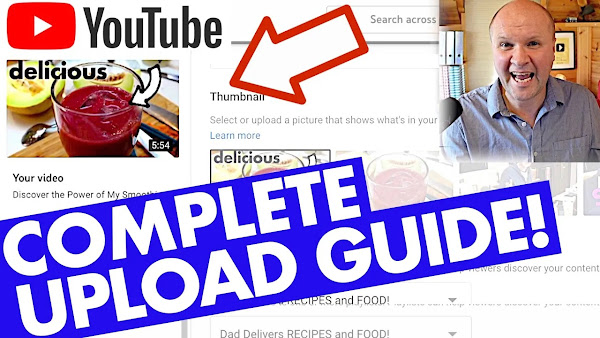
The final option down here, this pull-down menu for cards. Nobody clicks on cards on my videos, but I still like to put them on now and again just to help the algorithm. So towards the end, I'll probably put a card up on those beauty shots of the Smoothie. I'll add a little card. Cards are the little things that appear at the top of the screen, so when I say 'click on the link at the top of the screen', that's how you put them on. I'm gonna put the playlist here for recipes and then that card will appear like this. Oh my God, that's so good! What I love about it is that the blades of the NutriBullet have ground down all those seeds. Now, next thing, oh dread, you've probably tried this too. I've got to make a thumbnail for this. I'll just do an easy one for now. Firstly, I quite like this picture of the Smoothie. It's a bit dark, but I think I can brighten it up. So I'm going to show you this little technique that I used. Firstly, I set the visibility here to unlisted so that you can view the video with a link. Then I'll hit save. Next, I'll grab the video link and then I'll go to this site here, get YouTube thumbnail.com. I'll put the link to this in the description, and if I scroll down, there is a high-resolution version of my thumbnail. So I'll open that link in a new tab, and then I'll save this thumbnail. So I'll go save image as. I have a whole folder on my computer for thumbnails. I use Keynote because I have a Macbook, and I will open a slide, and then I'll import that picture to my slide. I like to get a picture of me in there. I hate having my face on thumbnails, but I think it helps if someone does like the channel, they at least know that that thumbnail is your channel. So I can improve this image here by clicking on enhance, and we can brighten it a bit. Let's make it a bit brighter, and then I sharpen it. And then I'd put a word on, something like 'delicious', and I'll put an arrow on. So I'll paste this arrow over, so that'll do for now. I'll go back to the video details page, and then I'll hit upload thumbnail. There we go, smoothie V1, there we go. And then I'll hit save, and that changes the thumbnail to this. It's not quite right. If you go to see the video now, it will almost certainly be different, but that will get me up and running. Then all I need to do is to go to visibility, and I'll click on public, and I'll hit done, and I will hit save, and that publishes my video on the internet. If I go to my channel, I'll see exactly how the thumbnail looks. That's looking not too shabby, and that's my video, 'How can I eat small fruit and veg without actually, you know?' So there we go. It's subtitled. You can see it's got two chapters here, so if I hover the cursor over the two chapters there, so those chapters are working. Thank you for hitting the thumbs up or the subscribe button or both. It really helps me to keep these going. And what things do you do when you upload your YouTube video? I'd love to hear them down in the comments below. And look, I've got some end board action going. This is my playlist right here with all of my YouTube hacks and tips and things that I do.
This is my favourite smoothie recipe for my Nutribullet blender. I'll walk you through my favourite fruit and vegetable ingredients: melon, apple juice, seeds, blueberries, raspberries and ginger. And best of all, it's banana-free! That's right, a smoothie without banana. But there is carrot, and sometimes a mushroom. Really zingy and delicious.
THIS IS THE TRANSCRIPT - CLICK PLAY ON THE VIDEO ABOVE!
How can I eat more fruit and veg without actually... you know, eating fruit and veg?
I manage to do it from time to time using this!
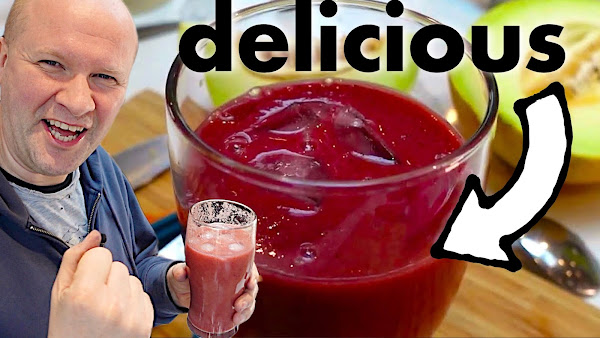
This is my favourite smoothie - my favourite smoothie recipe - it is absolutely gorgeous and look I've even managed to get some veg in there too!
Best of all, it's banana free!
I like bananas but bananas don't like me.
I think I react badly to them, so every smoothie recipe I know - every smoothie I'm ever offered has banana in it
This one doesn't and I'm going to show you how I make my smoothies
we're going to fill up on fruit and veg so the first thing oh by the way
this is the dad delivers Vlog where I try new things to make your family happy and today we're going to make our families happy with this delicious smoothie
I'm gonna get through this quickly so first thing I use is a melon
Look, I've got a second camera here and I'm gonna put in oh should I put in half a melon and that's a bit much isn't it
I’ll do quarter of a melon
you can get a spoon and get rid of the seeds
although I'm putting this in the blender so you could probably get the seeds in too, and then just to cut it into chunks I'm gonna...
slice the slice like this oh I’m throwing the maggoty carrot away!
and then you can slice the chunks off like this
I'm trying to eat more fruit and veg
well I'm trying to eat fruit and veg so this way at least I'm guaranteed a bunch of stuff
uh slice these melon chunks in
in goes the melon
uh what next? let's do some carrots
right so I've got these really disgusting bottom of the fridge carrots
I'll speed this bit up but this is me just peeling and topping and tailing the carrots
I have tried other veg in this recipe like a chunk of beetroot.
that's it. that's the only other veg that I've tried with this recipe so you might want to try some beetroot
now I can cut off the the tops of the carrots
I’ll just cut them into chunks, and put the chunks into the blender pot
next up is some ginger
I'm going to cut the ginger because I think I hope that the blades will slice the uh the ginger apart
I either do this or grate it with the microplane
my next ingredient is milled chia seeds
I've tried other seeds as well like sunflower seeds or some kind of linseed sunflower seed mix
I'm going with the chia seeds today though
this smoothie recipe is really easy but I always manage to forget one of these key ingredients
oh I know! frozen berries
that's what I forgot so go to the fridge... the freezer
I think this is my favourite part of the of the Smoothie
frozen raspberries
the great thing with these obviously is that they're frozen so the cold iciness of the berries will help chill the drink
but I love it just for the the sweet flavour
the other thing I might try today - I don’t usually do this - I’ve got some frozen blueberries in so let's get some blueberries in there
I'll just put in a handful just to give it another flavour
a bit of a fruits of the forest Tang for my fruity veggie smoothie recipe
now I have quite impressively overfilled the the NutriBullet cup
I think the max line is where the top of this rubber grip is and I've gone well over
and let's go for the final ingredient: just apple juice
I'll just top this up and it will just fill all the gaps in my fruit and veg and I'll do that up to the max line
that's not too overfilled
I've done worse
and then I'll put the lid on
by the way if obviously if you want a Nutribullet like this, there's a link down in the description
you can see the one that we've got
I'll take you into the uh the blending room
By the way look, we've got this little hot chocolate station going on here which is kind of cool
I'll just load up the NutriBullet - it’s good to go so I'll just push it down
I always think that the NutriBullet is going to fly off and destroy the house look at it go!
it's so violent, I have to close the door
[Music]
Fantastic
[Music]
it doesn't take long and now the best bit
I’ve got a pint glass
we'll get some ice cubes going in here and then
[Music]
look at that
the Breakfast of Champions!
look oh time for the taste test
oh my God that's so good
what I love about it is that the blades of the NutriBullet have ground down all those seeds
I think there's some chunks of raspberry seed in there which I managed to stay in there
oh God it's gorgeous
there's enough there for probably three people but I usually end up Downing it myself
oh I'm calling this a Dad delivers success!
yes! do you have a smoothie recipe I'd love to hear it maybe even try it out
leave it in the comment below it'd be great to hear what you're drinking
Can you please help my daddy get 10000 subscribers
Just watching a load of funny snapchat fails with my teenage son. Including a fat cat that can't jump, a kid crashing into a fun ride, and a bowling ball thrown into a TV screen.
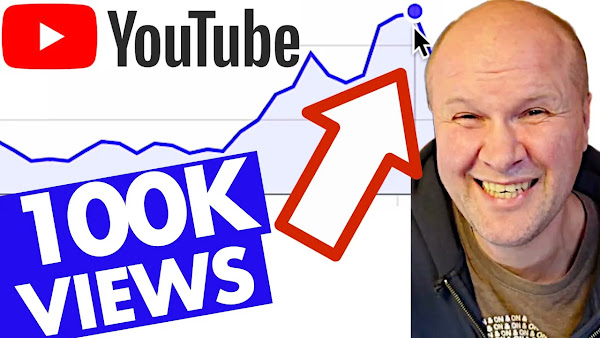
How much does YouTube pay me for a video with 100K views?!
I go through all my YouTube Studio metrics for a video which has suddenly hit 100000 views in only a few months: revenue, money per 1000 views, CTR (click through rate), RPM (revenue per mille or 1 thousand views) and earnings for my whole YouTube channel. I also share how to look up how much I earn from each country on YouTube.
THIS IS THE TRANSCRIPT - CLICK PLAY ON THE VIDEO ABOVE!
This is going to be a long and chatty video where I go through how much YouTube pays me for this video that's got 100,000 views. I made this video exactly three months ago today, and it's just gone crazy! It's pulling in two to three thousand views per day, which for me is, I mean, it's viral! And I'm very aware that this could end instantly, so I want to capture my happiness and my joy while it's still happening. But more importantly, I want to share this with you to show you what happens when a video takes off and gets 100,000 views.
I'm going to show you everything, like I always do on these videos, so as many metrics as possible and statistics and click-through rates... But the focus on this video is the money.
And I'm going to compare it with another video on my other channel that also took off about the same time on the same trajectory but then suddenly stops. Look at this nice Peak that started going up, and then it just dropped. And I'm worried that's exactly what's going to happen with this star performing video.
Hello, my name's Neil Mossey. I'm a development producer helping High achieving creators and performers just like you - high five - don't leave me hanging, to get your ideas out onto here on YouTube to make the world Happy. The idea of this channel is that I'm sharing my Journey on YouTube and sharing tips and tricks that have helped me on my YouTube channel to see if they can help you. But I'm in completely new territory with this... because usually my videos get about 600 to 1000 views per day.
About three months ago, I saw this problem on Facebook. Someone was talking about how they were running out of space on Google storage, and I had a workaround for it. So I thought, why not share it on this channel, and I made this video about how to reduce the file sizes of your photos and videos on Google storage or Google Drive. I promise I'm going to show you how much money YouTube has paid me for this, but let me quickly show you a thing called Impressions, which is the number of thumbnails for this video that YouTube has served. And it's served in three months, 1.3 million impressions, and the click-through rate... So that is the percentage of people who have clicked on the thumbnail is 6.6%. But something really weird happened around here. Can you see this, this crater, this drop here? I'm sharing this in case this happens for one of your videos that takes off, so it peaks around here, uh, 50,000 thumbnails that it's offered on YouTube for people to click on the video, and then it plummets. And it really plummets, uh, on the 28th of January. And you can see it kind of dips there, and if I look at the views, the views do exactly the same thing. So they crater in exactly the same shape. But what's really strange is the click-through rate. For, we're talking about the 28th of January, the click-through rate goes up! So instead of cratering, it actually does a hump and goes all the way up to 8.3 percent. So at the time when the views and the impressions drop, the click-through rate actually went up, which to me suggests that the YouTube algorithm is trying out on other people, and it actually found a better fit because more people clicked on the thumbnail to watch the video. You don't want to see this, you want to see the money. Let's click the revenue tab.
I'm gonna blur out the money. How much do you think I got for 100,000 views? Here we go, hold your breath.
$526 that this video has earned in the last 90 days. Let's go for the lifetime. $527, I left one dollar off the table. Let me go back to the 90 days because you'll be able to see how much I've earned each day. To start the beginning, when it was released, the video was doing about 30 cents a day. Then after Christmas, it just rocketed. Maybe it's because people are in the new year or after the Christmas holidays. They want to sort their phone out, you know, they've got some time on their hands. It just really took off and it didn't stop. If I compare this with the views, you can see it's a really similar picture. So we have this really big peak here, the trough, and then a lower peak.
Let's go back to the money again. It kind of goes up to the peak. The most it earned in one day was $17.80, and then it dropped again, and then it's gone back up again. This performance dwarfs all of the other 250 videos that I have on my channel combined. They do not get as many views or revenue as this one video. And it really does your head in because obviously, I'm delighted. I'm absolutely cockahoop!
I’m over the moon that one video can pull in $500 in a couple of months. I mean, it's absolutely fantastic, but it does this thing to you, and you've probably had this with your videos, where you think, "I only need five other videos like that, and I can go full-time on YouTube." It's taken me 250 videos to actually hit this one video that has knocked it out of the park.
So what I'm learning from this, I think, is that I'm getting better at YouTube? Maybe my decision to niche the channel, this video, this topic isn't really in my niche. It's sort of related to making videos, but not much. I think this video topic of Google storage is more global. It's something that lots of people are looking up. YouTube's done something really annoying with the studio metrics and figures here, and that is to remove a figure called RPM. So every time I look at my videos and share them with you, the playlist for those videos, by the way, is down in the description. Usually, I'm able to tell you how much I earn per 1,000 views, how many dollars per 1,000 views, YouTube payment. We've now got that in a little box down here, the last 90 days. That's pretty much for the lifetime of the video. I'm earning $4.53 for every 1,000 views. If I click on "see more," I'm going to click on RPM to see how the RPM has fluctuated. So at the start, the RPM, by the way, is the number of dollars per 1,000 views. It's called revenue per mille. It's using a very fancy Latin word because the advertising industry uses that, and I always mock it every time we bring it up. But the RPM, like four days in, was at $12 per thousand views, and then it kind of bumps along. We're kind of averaging at $4.50 per 1,000 views in the last seven days. That's overall, so in the last week, the RPM is nearer $4.59. It's still doing pretty much the same, isn't it?
Let me compare this with another video that, around the same time at Christmas, it took off and I got really excited because I thought I had two channels bringing in lots of revenue. This video here is about how our walls are leaking and it's just a vlog of me during vlogmas trying to waterproof the house. I released this video and look, it just went boom with the views. In one day, first day was 38 views, next day 285, 433. It hit a thousand views in three days which again was phenomenal for either channel. And with the revenue, the revenue suddenly went up astronomically in two days. I know it doesn't look like much, 50 cents a day, but you know that's 15 a month which for one video is really good for me. But let me show you what happened. I'll show you the whole month. It just drops like a stone and it stayed there ever since. Look, so the views went up fantastic, we're on our way and then it just plummeted. I have no idea why it did that. If I look in the reach, the impressions do the same thing, the click-through rate does the same thing. It's so cruel. It's so cool for the last 90 days for that video. It looks even more bizarre, look at that big lump in the middle of nowhere, the obelisk . And the same with the revenue. I really honestly thought this video was going to take off. So you really can't predict what YouTube is going to do with your video. I don't know what's going to happen now because I would be very comfortable with this one video just bringing in quietly ten dollars a day. That would be wonderful. I'm going to quickly click all of the tabs in case you're interested. In case you want to compare it with your examples, here's the reach with the impressions, the thumbnails, click-through rates, views, and unique viewers. Those are new viewers to the channel. The engagement, three minutes 34 is high for this channel because I do a lot of how-tos, so people tend to watch for a short time per video. The audience, this is interesting, there's a split on the age and gender demographics and the geographies, now this flicks, this does flick around. So for 90 days, India has 26% of my views, the United States has 21%. Interestingly, I'm from the UK, I have a UK voice, but only 4% of my views are from the United Kingdom, which is good because the United Kingdom does not pay so much as the United States. India pays even less. So let's show what this geography is like for the last seven days and see how it compares. So we'll go from 90 days to seven days, and it's still India, still India at the top and United States. Let's try 28 days. So this video is doing really well in India. Hello India, if you're watching this because of this video, it's really good to have you here, and hi if you're from the United States. Bring your friends because the US views pay so much more than most other countries. If I go into the countries, should we put the revenue? Let's see if I can put estimated revenue. Yeah, there we go. Okay, so here's the breakdown of how much each country brings in. So we've got the views on the right-hand side and the money that each country brings in. I'll scroll down. United States, with 2,600 views, has brought in forty dollars the last seven days. Let's do the lifetime. Let's do the lifetime, so in total of 25,000 views from the US, that's brought in 347. My next best audience, although I've only had nearly 5,000 views, that's really thirteen thirty-seven dollars. Canada and Australia tend to pay more than the UK, but I've had fewer views from those territories, and India with a whopping 30,000 views. So that's more than the 25,000 from the US, has brought in 24 dollars. I still love to have you here, my audience in India. It's so good to see you say hi in the comments because, uh, you send the friendliest messages as well. I really appreciate it. YouTube does a strange thing though, because there are more views from India than the US, and it brings in less than a tenth of the money as the US audience. If this video is helping, thanks so much for hitting the thumbs up or the Subscribe button, or maybe even both. It's really awesome because it helps me to keep this channel going. And you might like these videos here, all about how much money I earn on a month by month basis here on YouTube. Can you please help my dad get to 1 million subscribers? Just click on his face. Thanks bye. Can we have dinner now?
Our cocker spaniel dog, Casper, freaking out when he sees a (very small) snowman in the park. His tail's wagging though, so we try to make the snowman move or get Casper to explore it some more...
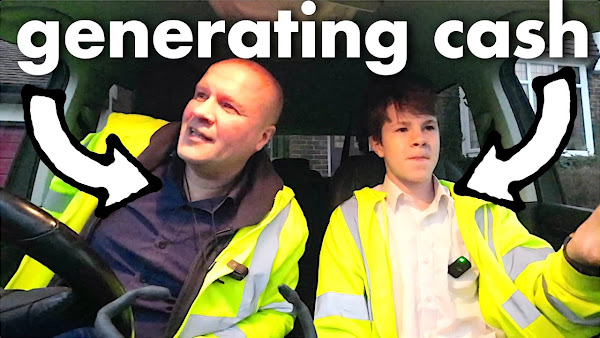
How do you get a job for your teenage kids? The Ultimate Father-Son Bonding Activity: Helping him deliver leaflets and destroying my hand. My son has a leaflet round, so I went out with him to chat and try to help... but I think I got in the way of his deliveries. Together, we learn about hard work and making a living as we deliver Chinese restaurant menus, leaflets, and local magazines through the doors. Follow our journey as we're getting paid, while sharing our struggles and triumphs in working together as Dad and son. If you're interested in teaching your child about financial literacy, generating revenue and earning money, this is the perfect video for you! We only got yelled at once. Find out how much cash it actually earns.
THIS IS THE TRANSCRIPT - CLICK PLAY ON THE VIDEO ABOVE!
Yeah... so I don't know how to start this video.
This is the dad delivers Vlog where... uh we're trying...
Literally!
Yeah, right, what?
I don't get it?
Literally, you're delivering stuff.
Oh yeah! No, we ARE delivering - this really is Dad Celivers where uh we try something new to make your family happy and today we're making our family Happy by delivering some leaflets!
And getting paid 8p a magazine.
I'm gonna try and take you on this journey with us just to show you what it's like.
[Music]
[Music]
[Music]
I, uh, did my... cut my thumbnail... no my fingernail in the letterbox.
It's uh quite easy to do.
How about you rip it off?
No!
What's the what's the hardest part of doing this job?
Just having to walk all the way to every single house and individually putting it... risking your fingers...
Yeah.
Yep I've cut my finger all the time because of the paper as well, it hurts.
Yeah paper cuts... paper cuts is a thing!
Just throw me... you need some now?
[Music]
Just throw me one.
Do you need these as well?
I need two.
Okay.
That's not two.
Hey have any of these said we're not supposed to deliver?
No.
I didn't even check the list. Oh! I didn't even check the list.
What do you mean?
Well it's on the list - which ones not to deliver to.
Oh well.
Ah, just do it as usual.
So you don't like the paper cuts, or the long walks, or the long walks or the fresh air!
And no I like that, but yeah you know the little um things on the brushes?
Oh the brushes inside the letter boxes.
Excuse me.
Yeah they're a bit of a pain.
Did you do that one?
I did it.
You didn't?
I did it.
Oh, you did it.
Dad?
Yeah?
Did you ever have a pager?
I did! Oh - I loved it. I absolutely loved it.
People really like it still
Yeah, yeah.
Do you think if I made them a thing again people would buy it?
Probably.
Who did you page?
Well I used it for work when I was at CNN. What's great was they call you...
Yeah...
So um it meant that you could choose who you spoke to.
It's not like now where you've got to like completely keep looking at your phone for every single half message and post.
At least with a pager you knew that someone really wanted to get in touch with you.
Which was kind of nice.
I just threw it in and it... I knew that letterbox was weak so I literally just pushed it through and it all went through.
Ah that’s good. Here, take all of them.
You get paged?!
What are the good things about doing this?
Huh, what are the good things?
8p per magazine obviously...
I've done it again!
Which one are you doing?
The walking, the fresh air... that's good.
What else? Is that it? Yeah.
Dad why don't we have a ring?
Why don't we have what?
A ring.
A what?
A ring.
Yeah I don't... I don't want to be looking at everyone who visits our... our home.
Do you know what I think people do with the ring door cameras?
I think they record the person's face who's at the door...
Yeah...
And then they do a reverse Google image search to see who they are.
That's why I've...
But you’re bald so it’d come up with anything.
It could come up with...
Like that footballer...
Like the footballer or the bloke off of EastEnders.
Forgotten his name!
Do you know what would literally make me quit?
What?
If those things were um if this whole thing was symmetrical...
What and you just had to do one long street?
Yeah.
For 470 homes?
Yeah that would suck. It does break it up a bit I suppose, isn't it?
Having your fingers snapped by the letterboxes.
What I like about this round...
What?
Is that we're helping to spread the message of our favourite Chinese restaurant.
That's true.
Your favourite.
I don’t want it to go out of business.
I like it, but...
Yeah! I don't like Chinese food.
I don't think Covid was too kind to...
They've got weird tasting vegetables and they ruin it with sauce.
Oh right, what Chinese?!
How could you say such a thing!
You take that one I'll take this one.
Why, because it's got a Tesla?
Yeah - you want the Tesla.
You could buy one of those if you had a million Subs.
Yeah.
You could buy two.
We just got yelled at for the first time, haven’t we?
Uh, oh yeah!
He sort of ran out and sort of went... “OI! Don't want these !”
And he sort of pushed them back in my hand. What do you think about that?
I completely understand his...
He took it too wrong.
I did that... it's a shame that we had that one yell right at the end.
So is there anything you want to ask me?
Uh, oh, did you do anything like this?
I did! I had a paper round.
Of course you did.
And it really sucked because I had the situation you're in, where I knew it was getting really bad rates. I had like really heavy newspapers. This was in the decade where Rupert Murdoch made the newspapers huge!
And on a Sunday it was like each newspaper cost about half a kilogram - weighed about half a kilogram.
How many did you have to do?
I had to do, like... I think about 75 of them? Okay. They were ridiculous.
Still that's quite bad...
So I had enough - so this is what was painful.
I had enough. I did it for a few months!
Yeah.
And I went to the newsagent, said I've had enough. And he said would you take like 50% more money?
And I thought “well you could have like offered that earlier!”
And that's what taught me that, don't take what you're offered, because it's always going to be bad.
Yeah and if they really really want you then you can ask what you want...
Exactly, well exactly, exactly!
And then he doubled the rate! He doubled the money! And that really made me angry! You got more money?
I didn't do it, no I didn't do it. I stopped doing it, because I thought well...
You could have done that earlier.
Yeah, but...
I think you taught that man a lesson!
Well you're right! What sort of lesson, by working for little money and then leaving!
But it did teach me to not worry about asking for more, if you're being paid by the hour, or by the day, or by the leaflet.
Oh what would you rather have?
Would you rather be paid a thousand pounds every day, yeah?
Or half a mil every year?
Yeah - but like do you know, I mean like you cannot... you're only paid at the end of the year. Yeah.
What would you do?
What's the choice?
Yeah, no... I think... I think I'd really enjoy that year, looking forward to it.
But I'd be worried - I'd be secretly worried that I wouldn't actually get the money.
Ah. I wouldn't... No, you would get the money.
So when you first got this job, we thought that you'd be getting 10p...
I thought literally... I thought because that's what it said!
Yeah, well it did yeah!
But they... they only meant that for one month and then the other rate that they didn't tell us about was that it's actually...
They didn't tell us that.
It’s 7p. Because they didn't put the word 7p anywhere
Right... right and then they increased it to 8p again without telling you, but you thought you were doing 10 per leaflet.
Exactly! Where's my 2p?!
So how do you... how do you feel about all of that now?
Do you want to do this for another month? Or is this the last month?
I don't know because first off I literally... I would be fine if I was just being paid 10p a round.
Will you be okay with that?
Yeah 10 or 11p.
But knowing that it could be 10p and it isn't 10p...
That's not good. That’s annoying.
Is spoiling it.
I hate that.
Yeah but it racks up to like... yeah yeah no no no I know, I know!
I'm just saying that the small difference means a lot.
I mean there's like the whole 10 quid! Yeah.
And also they didn't pay me properly the first time!
I've just noticed that all the cars are driving really slowly because I'm holding a camera up and wearing a high vis vest!
Transform Your Living Room with the ultimate Ikea sofa that turns into a double bed. Filmed 2020!
Putting this Ikea sofa bed together, took a while... so sharing it as a how to assemble Ikea Gronlid 2-seater sofa-bed... our couch that folds out into a bed. I share how we put this together, complete with cushions, mattress and sofa cover.
Watch me build an Ikea Gronlid sofa-bed with a malfors sofabed mattress, which turns from a 2-seater sofa into a comfortable double bed. Follow along with my step-by-step instructions and learn how to assemble the frame, put on the arms and mattress, and iron the dark grey washable covers. Whether you have limited space or overnight guests, this is the perfect solution for your home. Upgrade your home with the best fold out 2-seater couch that turns into a bed.
THIS IS THE TRANSCRIPT - CLICK PLAY ON THE VIDEO ABOVE!
This is the mattress, and then there are two main sections that come in boxes... they come up to my stomach!
So then there are two Gronlid bases, and then the covers come in two boxes so this big cover. And I don't know why, when we ordered these separately... I don't know how that can cost 40 pounds for delivery, but it does.
“I want to be the cameraman!”
Hang on, no, I need... I need it up high.
“Then I can stand on a stool!”
So I have no idea where to start with any of this.
I guess I'm gonna have to open one of these first.
Which one?
A or B?
A or B, comment down below!
[Music]
And this is what the Smedsbyn base looks like.
[Music]
[Music]
[Music]
It's the Ikea scissors!
[Music]
[Music]
[Music]
[Music]
Oh! You’re supposed to have your boyfriend help you, by lifting it clear so you can do the bolts.
[Music]
[Music]
[Music]
[Music]
Next we take this spare slat. As we take this over here.
Fold this down and bring the net over the Bar. Ow! I'm going to put this on.
And then these two screws, and then we'll fix the net down over the strut.
It's a bit difficult getting from side to side!
Now next is the mattress!
[Music]
[Music]
[Music]
So now I get to fold it back up into itself to put the covers and cushions on next.
So this goes... so you lift this up.
Whoa it works! So next come the Gronlid covers
[Music]
[Music]
[Music]
[Music]
I love ironing.
[Music]
[Music]
It is me doing it!
Okay next bit is this cover
[Music]
[Music]
[Music]
[Music]
Yes so it's done!
Erm, except the arms!
[Music]
[Music]
[Music]
[Music]
That was hard!
If I fold this back - put the seat cushions on.
It's done!
This is the Gronlid, the Gronlid sofa bed.
I need to film some shots of this before, you know, the kids spill something all over it.
Oh man what do you think?
And if you have any questions, put them in the... in the comments below - be great to hear from you.
Just say hi - just to know that somebody reached this point in the video, would mean a lot to me. And good luck with your Ikea Gronlid sofa bed.
I hope you have many happy nights on it.
I'm gonna sleep on it like this I think.
Can you please help my dad get to 1 million subscribers just click on his face thanks bye! Can we have dinner now?